
Myriad 7 - Radio Automation
Great radio starts with a stronger connection
Professional radio playout, automation and scheduling, with listener engagement built directly into your everyday workflow.
From live broadcasting and intelligent automation to Listener Requests, Song Voting, Voice Tracking and remote production, Myriad Playout 7 gives your team everything it needs to create radio people want to be part of.


Myriad 7 - Radio Automation
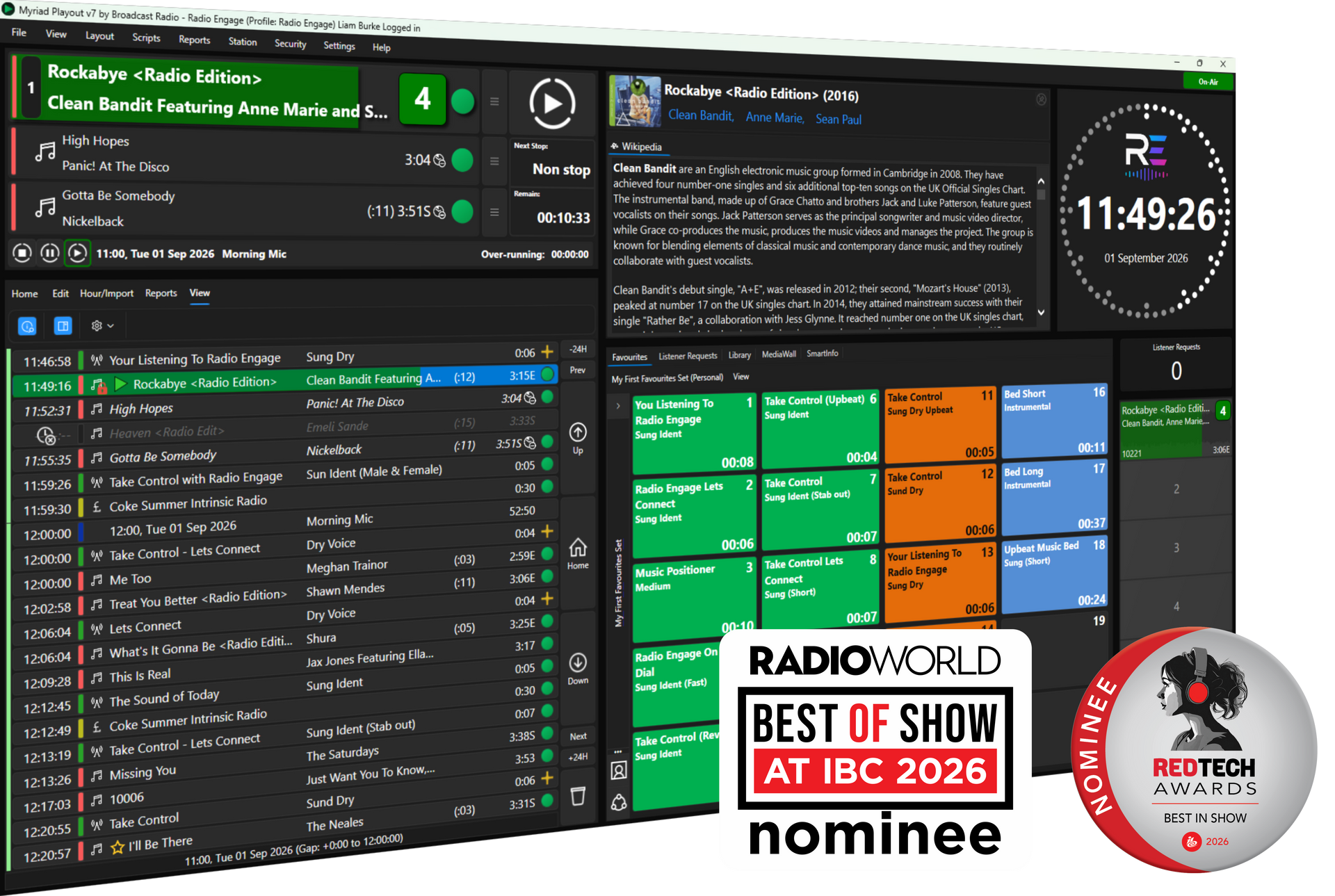
Great radio starts with a stronger connection
Professional radio playout, automation and scheduling, with listener engagement built directly into your everyday workflow.
From live broadcasting and intelligent automation to Listener Requests, Song Voting, Voice Tracking and remote production, Myriad Playout 7 gives your team everything it needs to create radio people want to be part of.
More than just Radio Automation
Myriad Playout has been helping broadcasters create outstanding radio for more than 30 years.
Myriad 7 builds on that experience with a new focus on listener engagement, connecting your station’s website, mobile app and Broadcast Radio Web Player directly with the people creating, presenting and scheduling your output.
It combines dependable live and automated playout with flexible scheduling, powerful production tools and a customisable studio environment. Whether you operate a single community station or a multi-station broadcast network, Myriad adapts to the way your team works.
New Features in Myriad 7
Feature Video
See the new engagement features in action and check out how Myriad 7 will help your station connect with your listeners.
Myriad 7 - Listener Engagement Built In
Radio is at its best when listeners feel part of it.
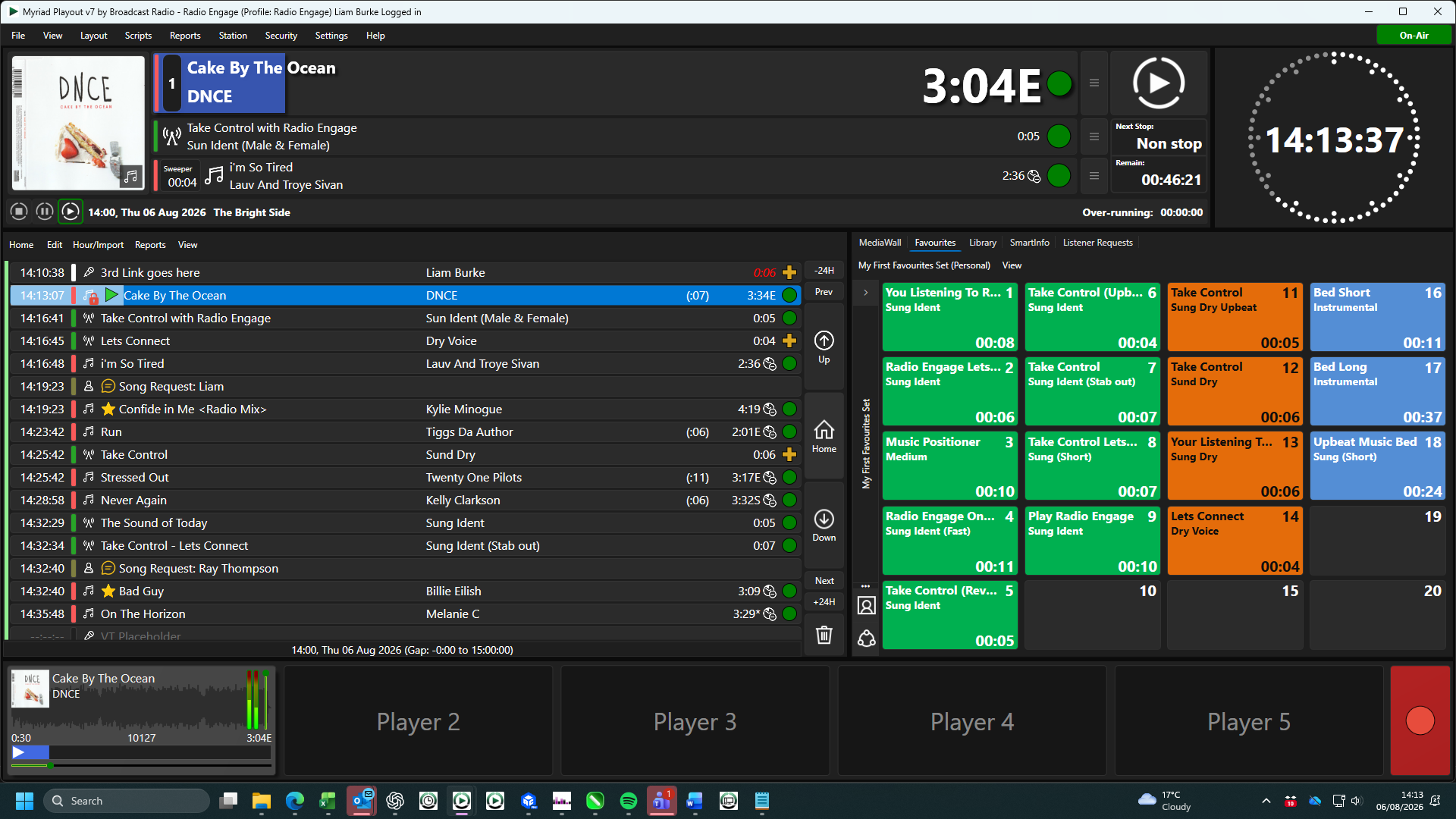
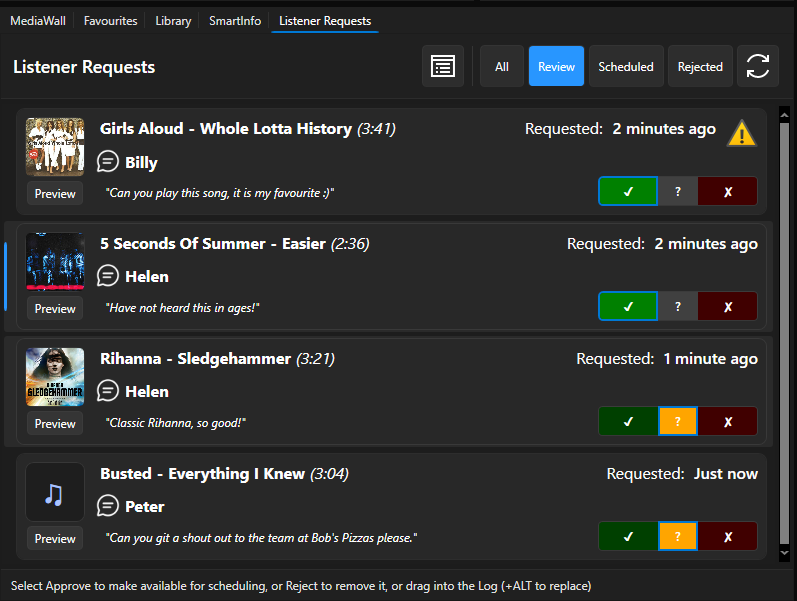
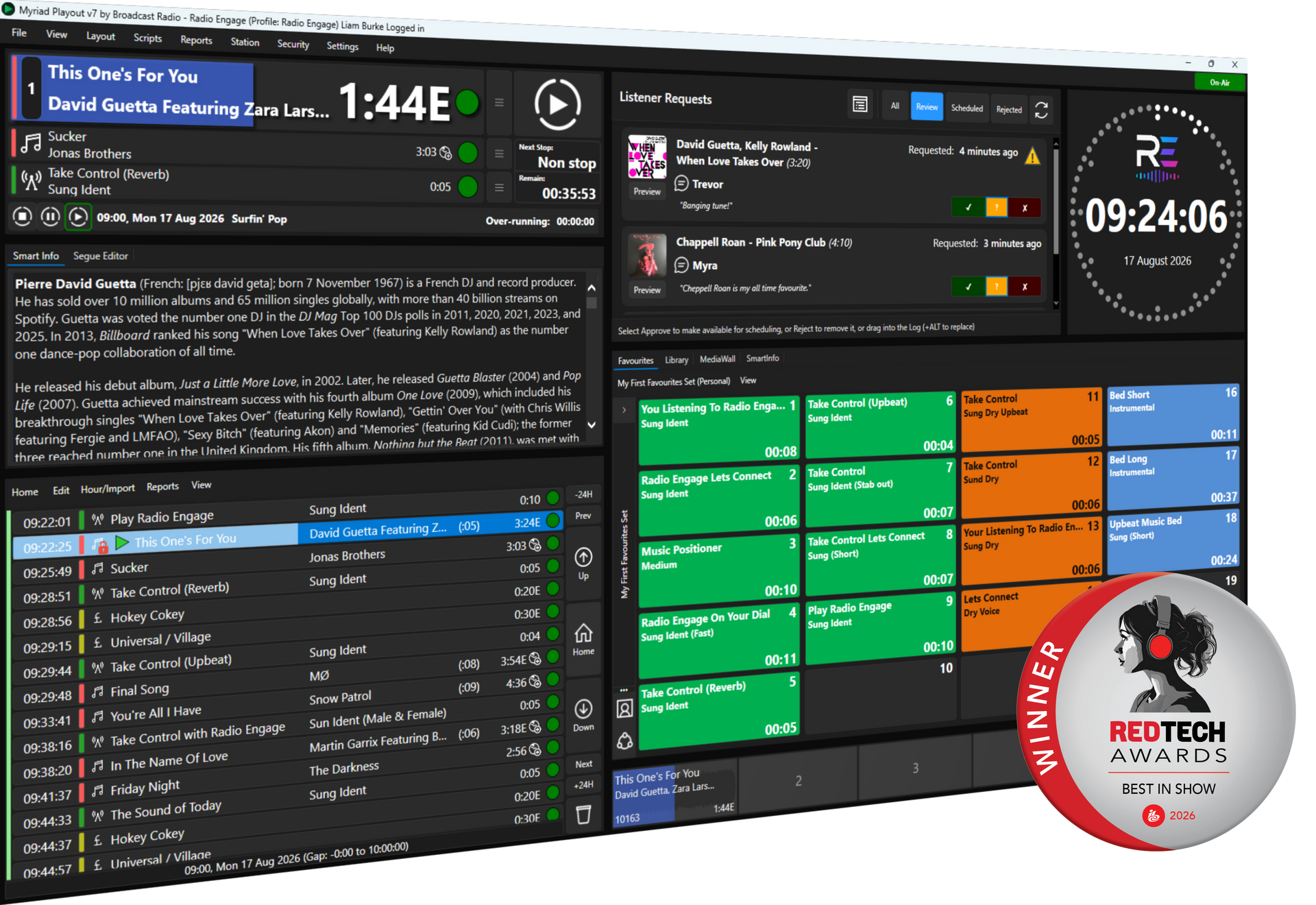
Myriad 7 brings Listener Requests, Song Voting and presenter information directly into the broadcast workflow.
Listeners can interact through your website, app or Broadcast Radio Web Player, while requests and voting information appear inside Myriad for presenters and programmers to use.
- Listener Requests - Receive and manage song requests directly inside Myriad.
- Song Voting - Let listeners influence future programming without relying on separate third-party platforms.
- Shows and Presenters - Manage information centrally and share it across your connected listener platforms.
- One Connected Platform - Everything built to work seamlessly, out of the box!
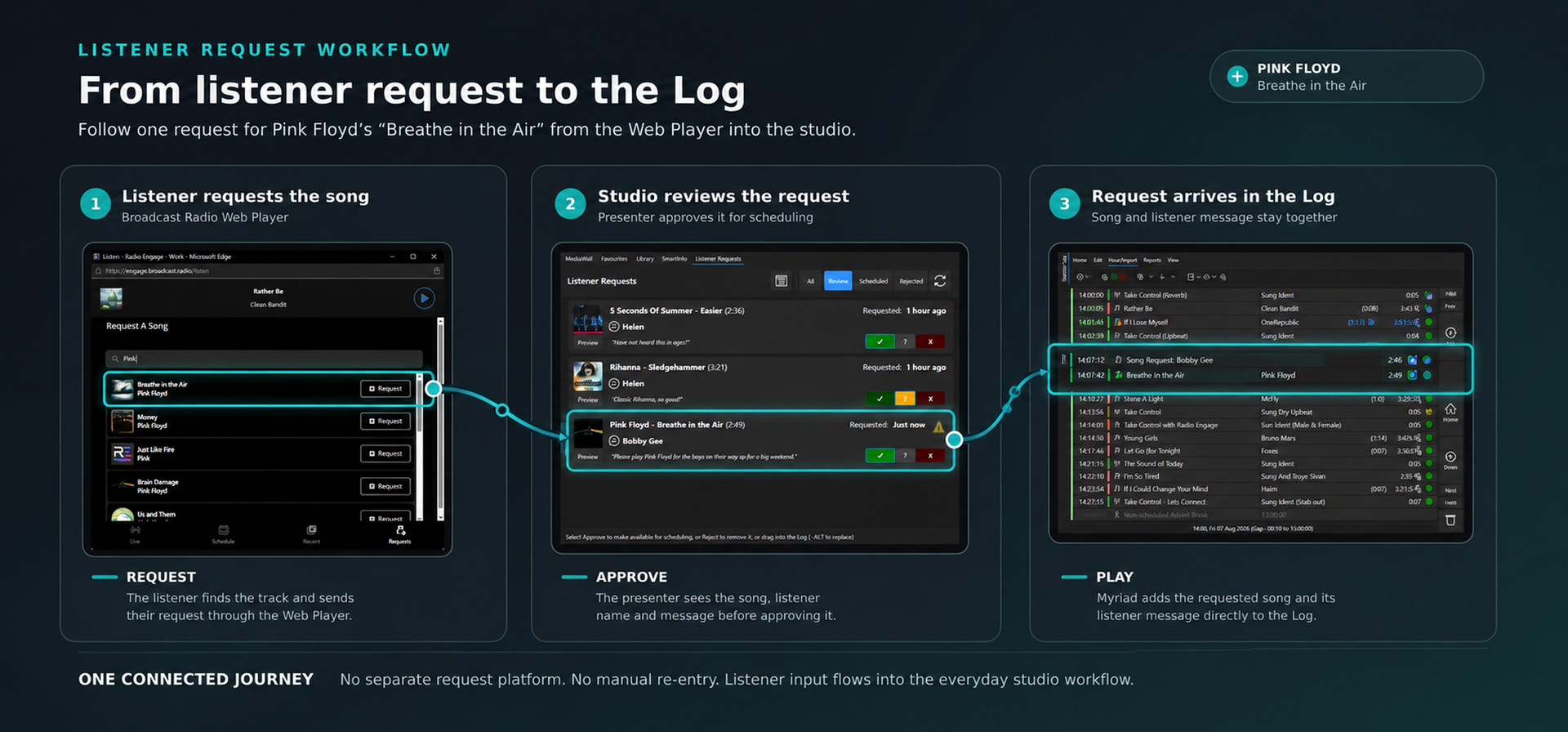
Listener Engagement
Listener Requests
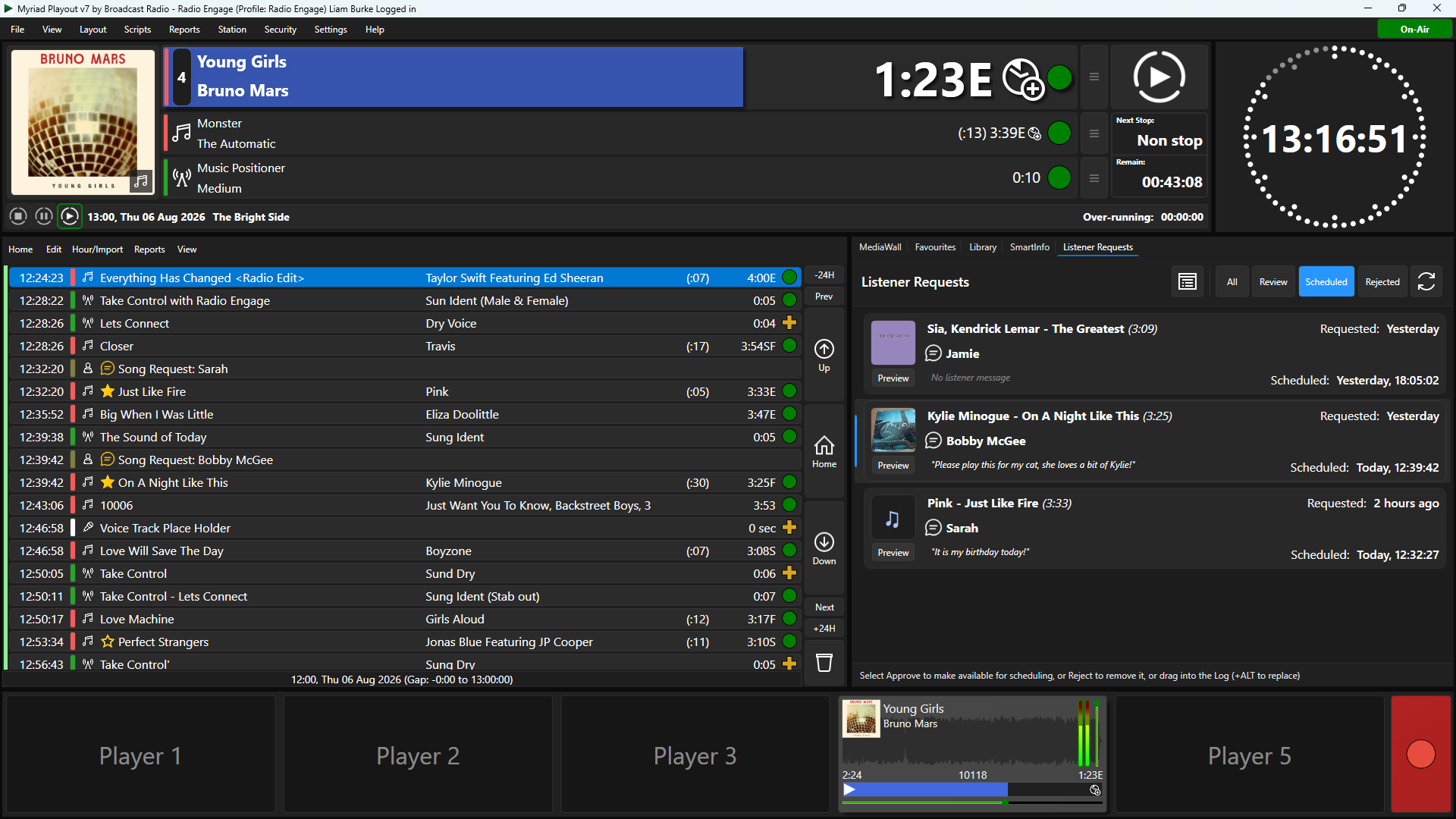
Receive and manage song requests without relying on a collection of disconnected third-party services.
Listeners can search the music you make available and submit their requests through your connected website, app or Web Player.
Myriad brings those requests into the broadcast workflow, where your team can review and use them.
Song Voting

Let your audience influence the music they hear by voting for songs through your station’s connected platforms.
Song voting itself is not new, but delivering it has traditionally required separate services and custom integration.
By bringing voting directly into Myriad and the wider Broadcast Radio platform, Myriad 7 makes it practical for stations of every size.
Shows & Presenter Management
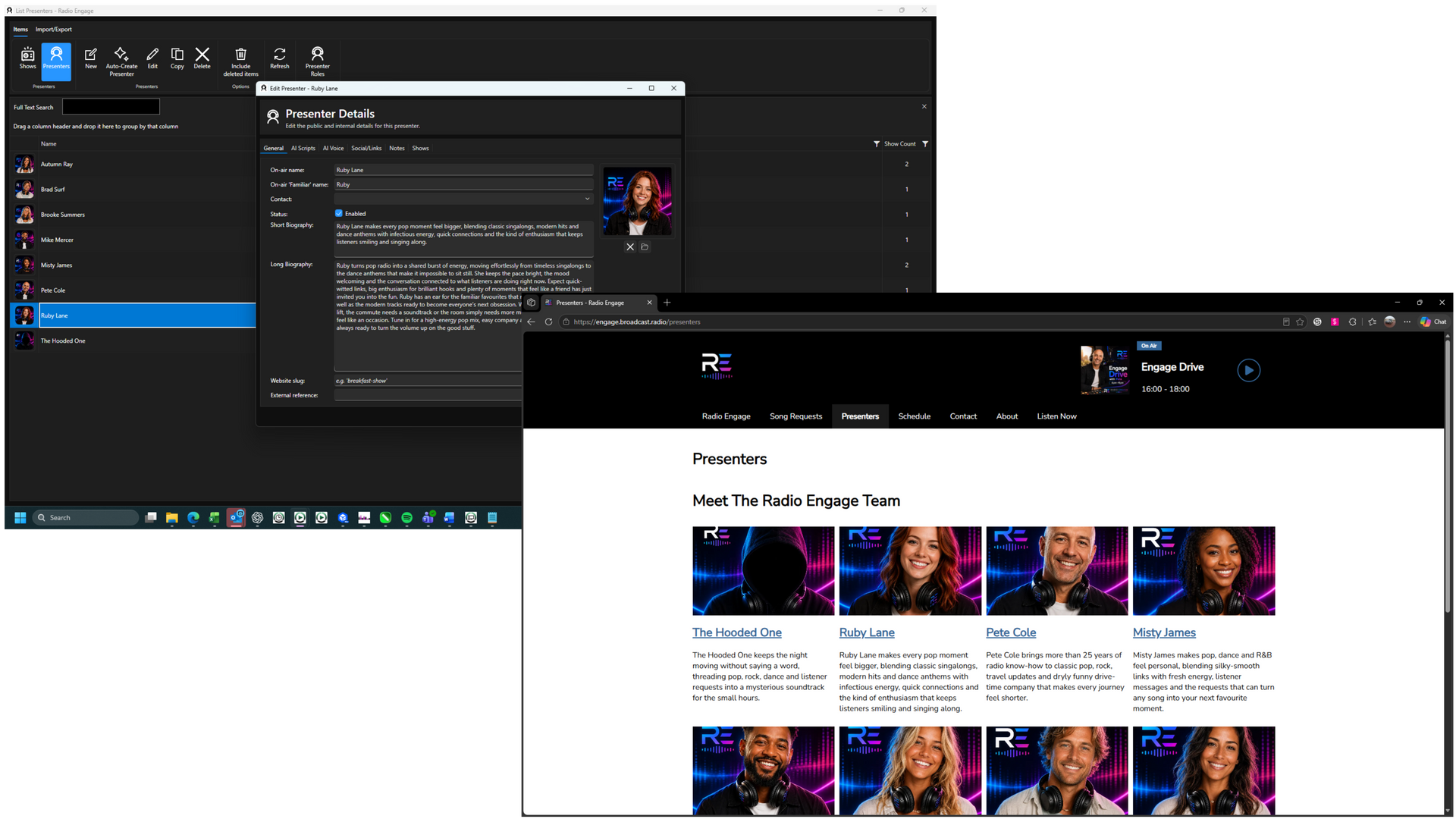
Manage show and presenter information centrally, including descriptions, schedules and profile imagery.
That information can then be shared with connected websites, apps and the Broadcast Radio Web Player, helping listeners discover more about the people and programmes behind your station.
AI Voice Links With Presenter & Show Awareness
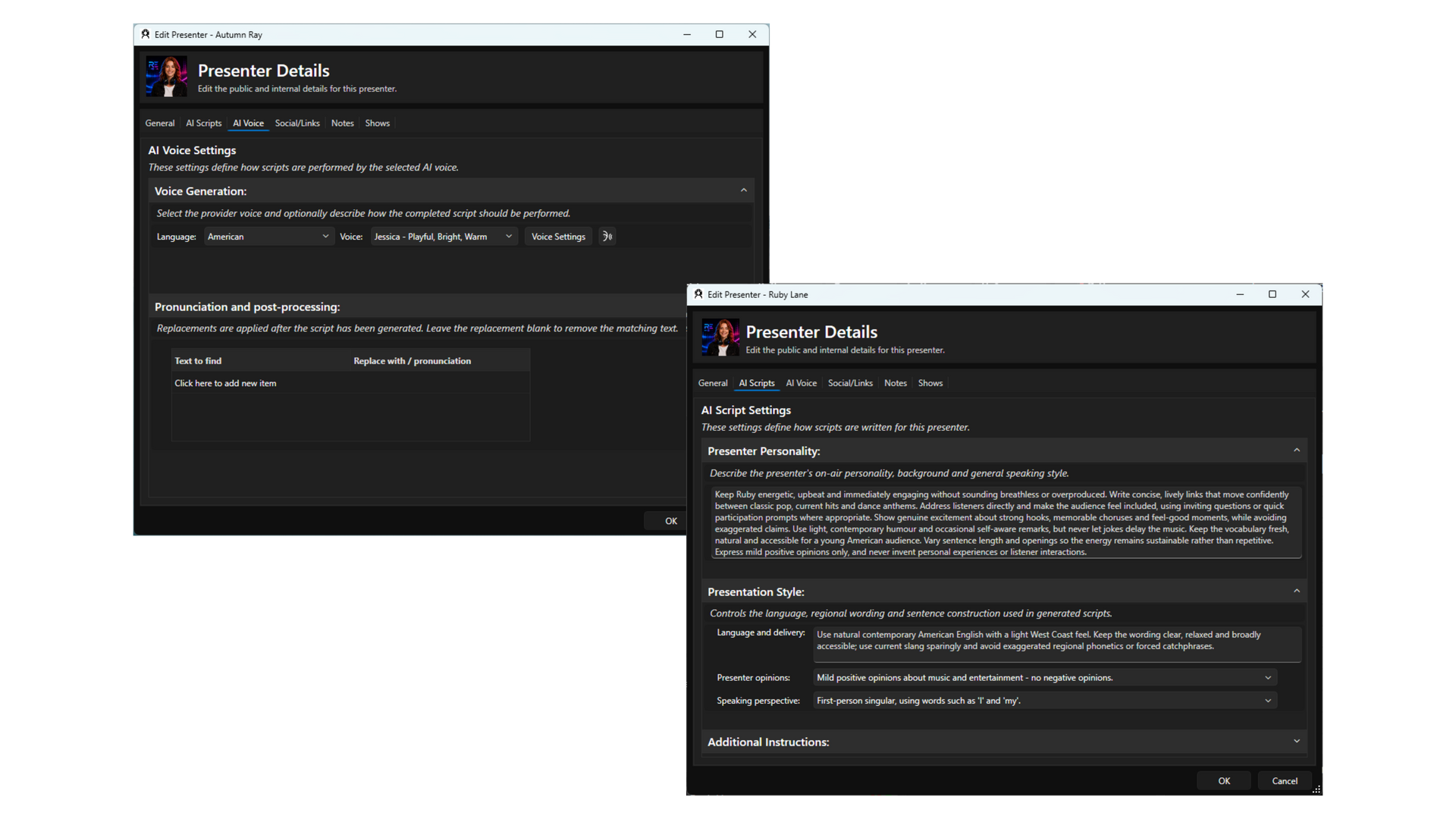
AI Voice Links now consider Show description and target audience along with biography, personality description and voice generation guidance for each Presenter in a show, to create more immersive, and context rich AI voice links consistent with individual Shows & Presenters.
Music 'beds' can also be used to automatically create natually sounding, multi-segmented AI Voice Links.
On-Air & Production
VT Placeholders & Split Network VT
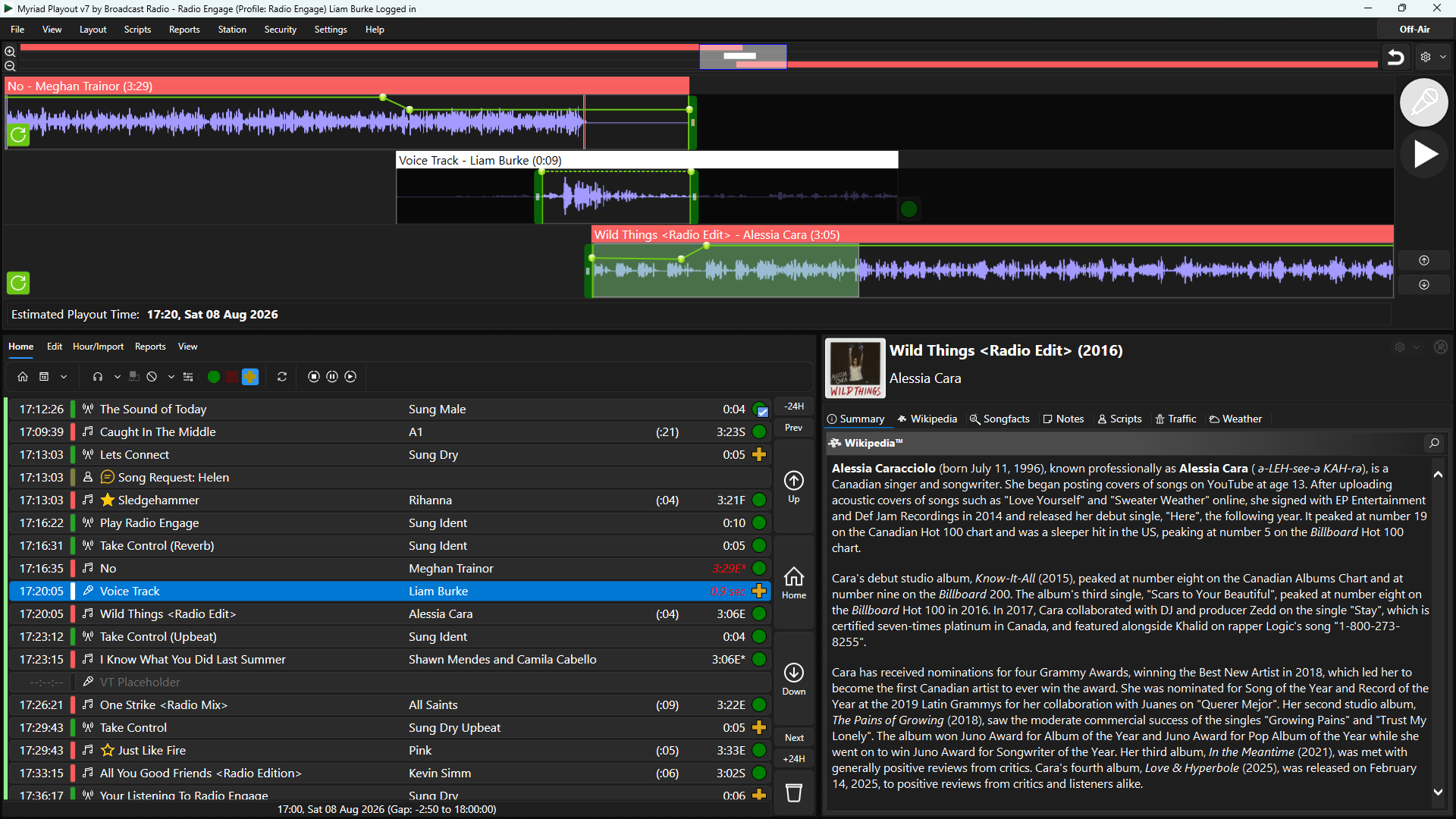
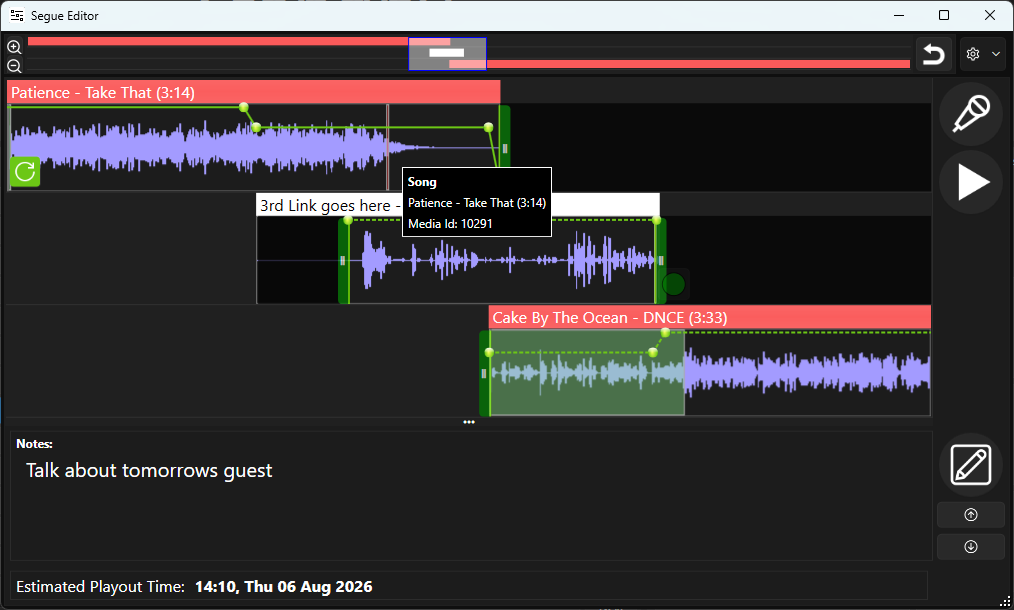
Position Voice Tracks precisely in the Log by adding VT Placeholders to your Clocks along with notes for the DJ recording the VT.
When Voice Tracking, DJ's can quickly jump to the next VT without leaving the Segue Edit window.
For stations with multiple split network output, Split VT allows you to record an individual VT per split or share a VT to multiple network outputs.
Segue Editor Start/End Trim Markers
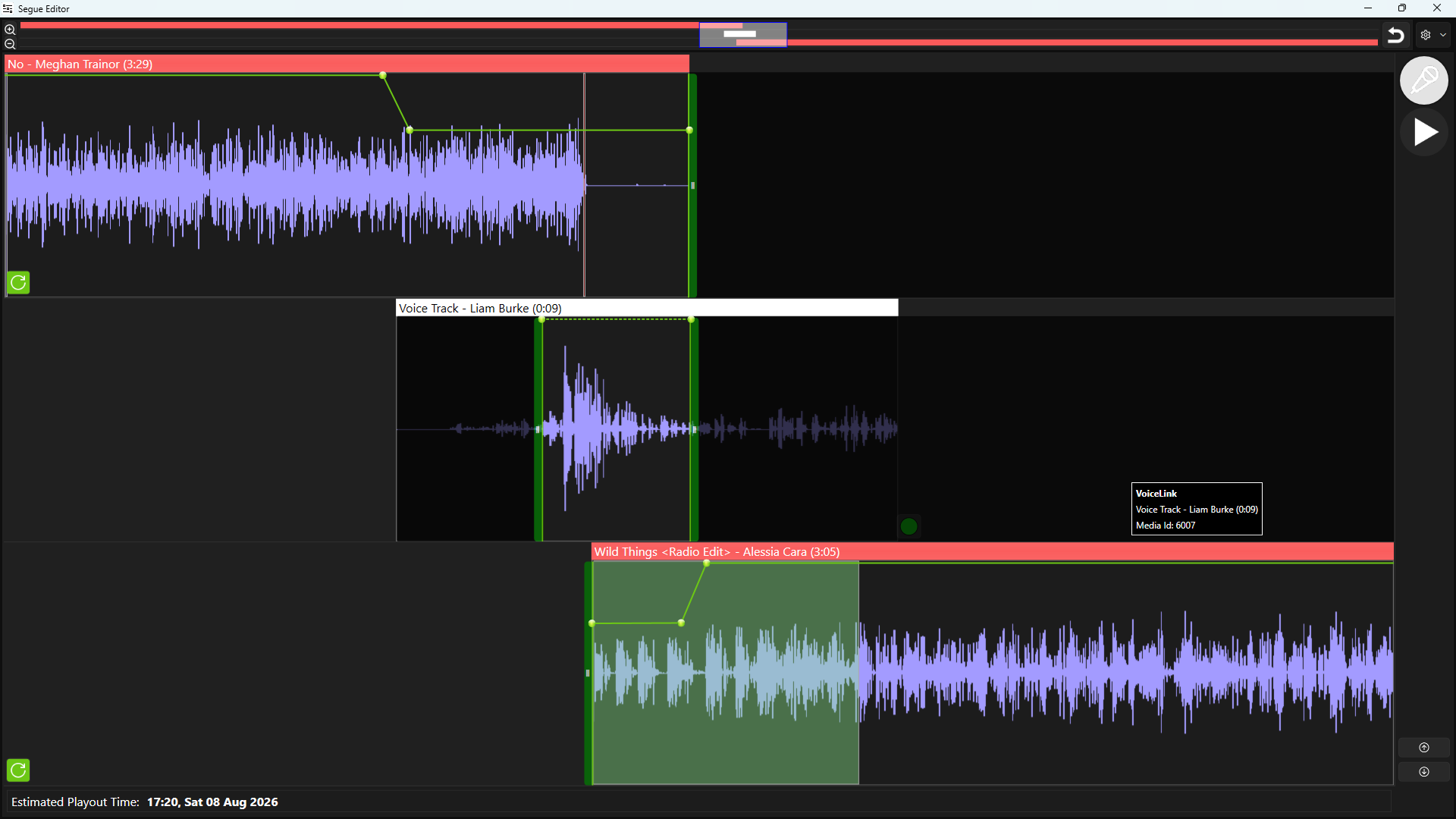
The Segue Editor now allows you to add unique Start & End Trim Markers to every segue, Voice Track and AI Voice Link.
Trim the start or end of a Song for better timing or to cut the end cough from your otherwise perfect Voice Track.
All trims are unique to the specific segue with the original audio staying intact and ready to use next time!
Intelligent 'Music Beds' With Exclusive Play
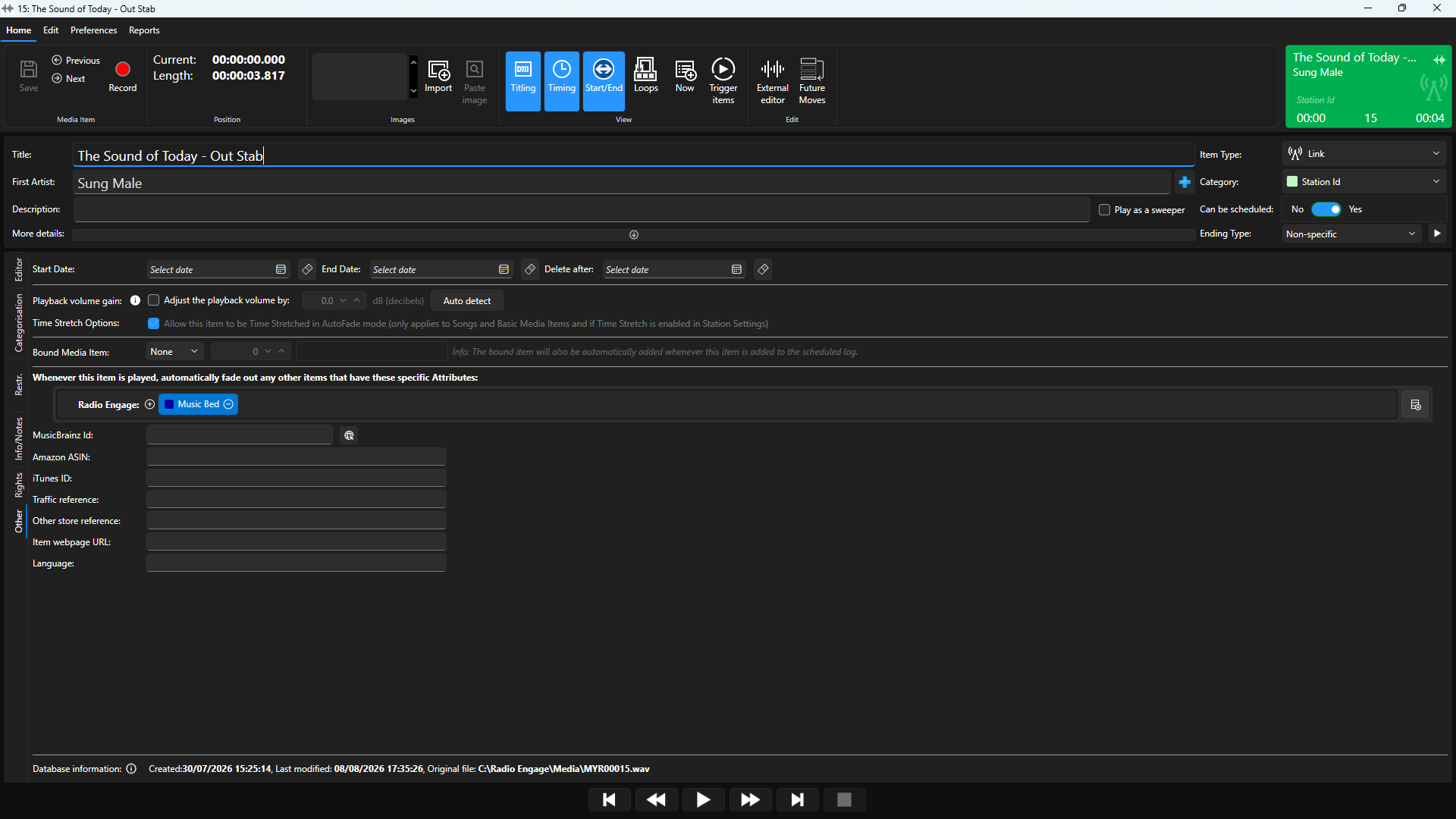
The new Exclusive Play feature allows a Media Item to immediately fade out any other playing Media Item that has a specific Attribute.
This can be used to automatically fade out music beds when the 'out stab' Media Item is played either manually or automatically.
In live shows, this means the DJ can combine music beds and jingles without having to worry about juggling Media Players or manually stopping the music bed at the right time.
In automated shows, this allows AI Voice Links to use 'beds' for a more natural and dynamic sound to your automation.
Pre-Recorded Shows & Per Station Media Items
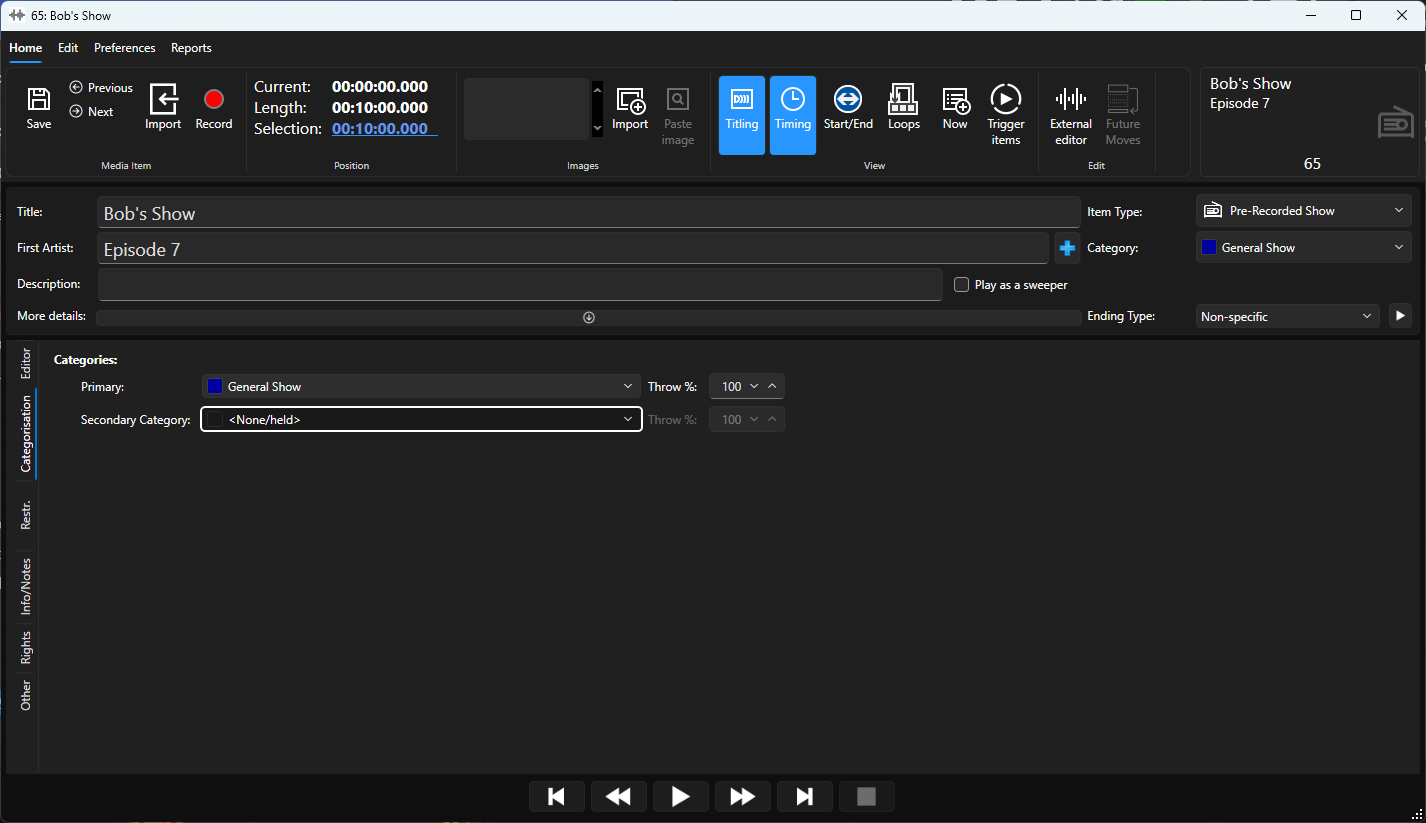
Managing Pre Recorded shows in Myriad 7 is a breeze with the new Pre-Recorded Show Categorisation.
Create separate Categories for your Pre-Recorded shows to make the easier to search and browse in the Library and Log tabs.
Per Station Media Items introduces a new classification of Media Item, with individual content assigned for each Station in a multi-station setup.
This makes split jingles a piece of cake.
Scheduling & Workflow
Enhanced Clock Editing
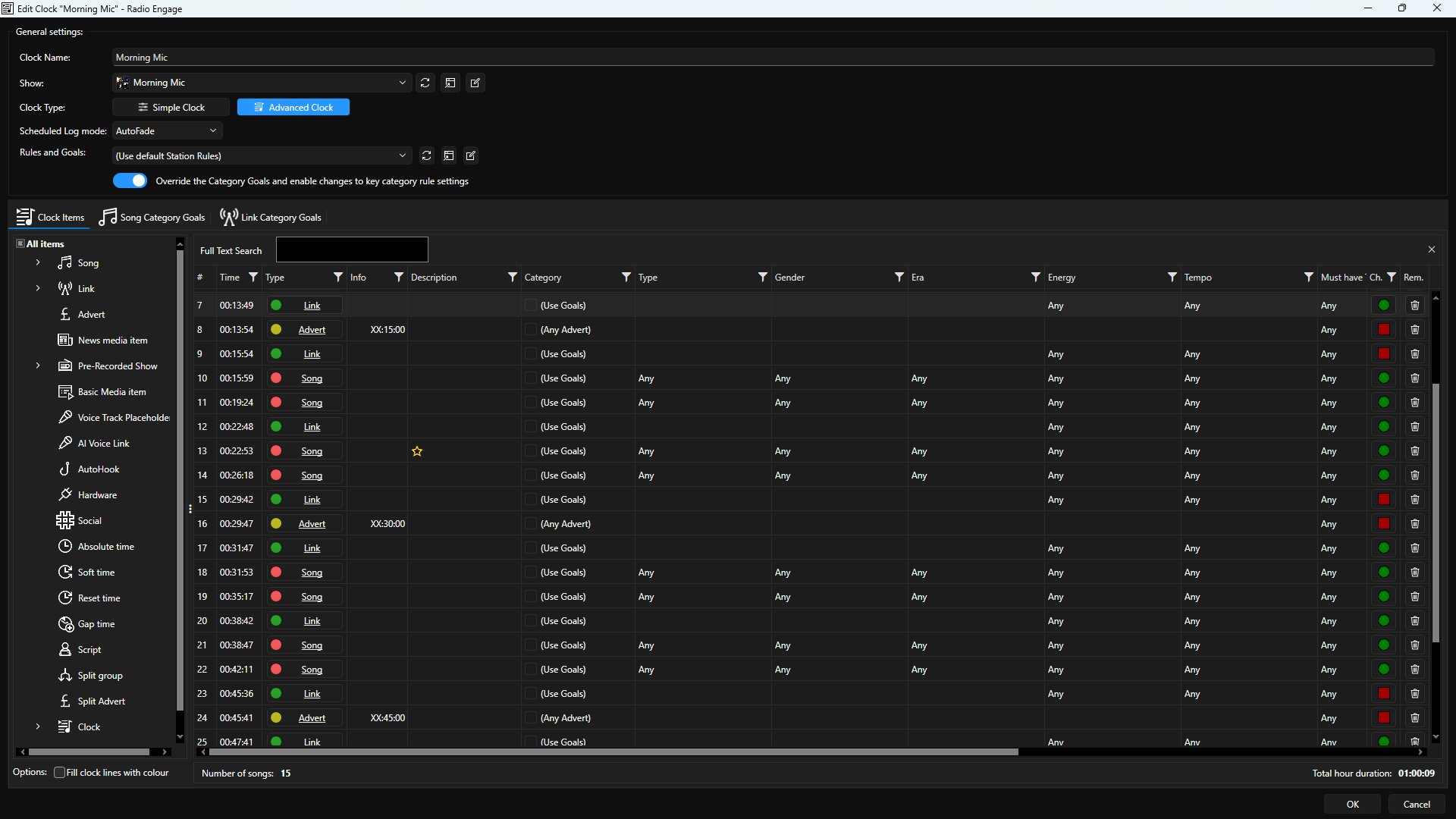
Position Voice Tracks precisely in the Log by adding VT Placeholders to your Clocks along with notes for the DJ recording the VT.
When Voice Tracking, DJ's can quickly jump to the next VT without leaving the Segue Edit window.
For stations with multiple split network output, Split VT allows you to record an individual VT per split or share a VT to multiple network outputs.
Improved Dynamic Layout Editor
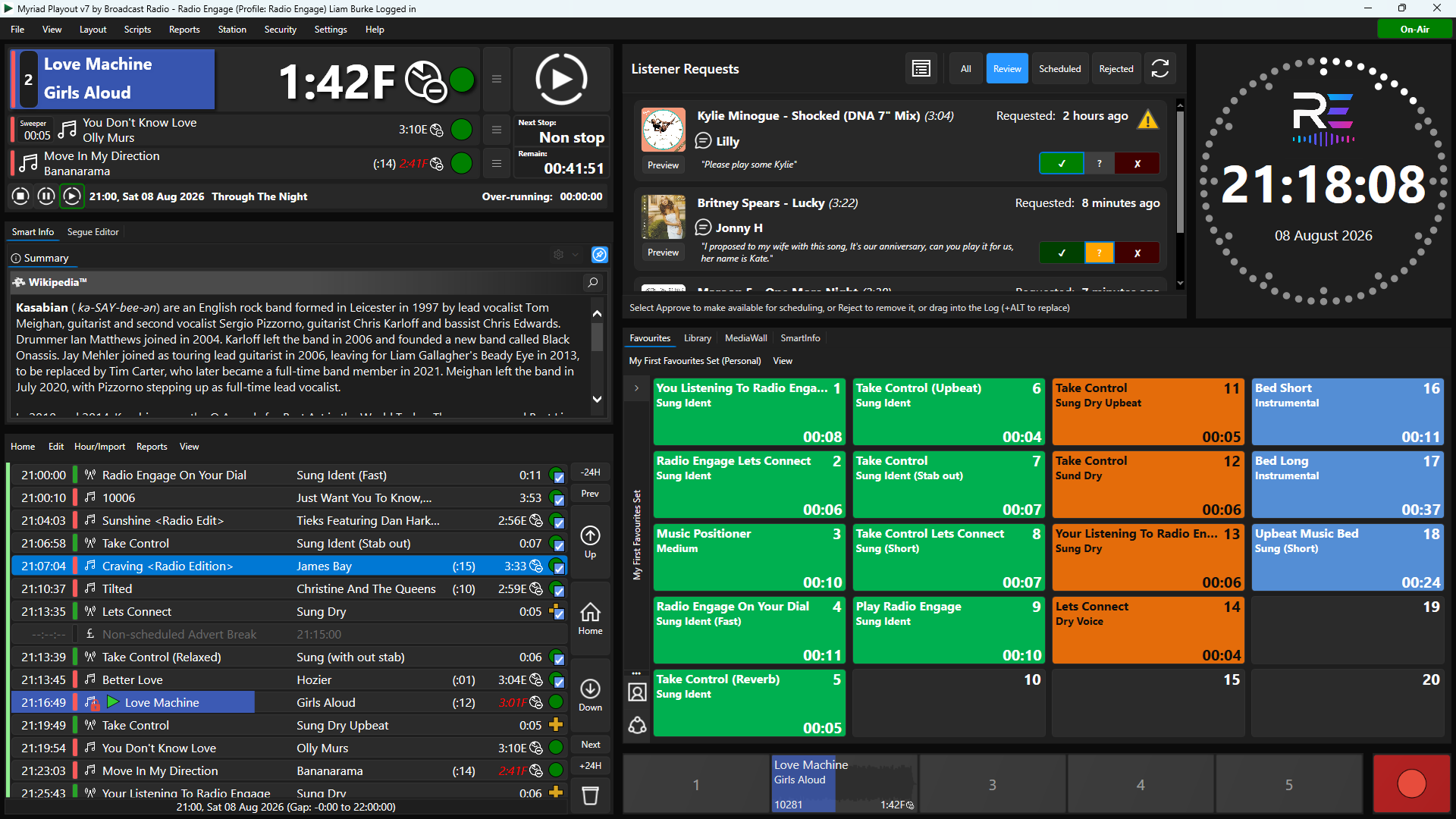
The Dynamic Layout Editor in Myriad 7 offers several new ways to design how your Myriad interface looks.
New tiles have been added for features such as Listener Requests and Station Logo and you now have greater control over tab size and placement.
Combined with the new 'small ribbon' option, Myriad 7 offers even more ways to optimise your workflow and customise the experience.
Integration & Automation
Enhanced OCP Command Language
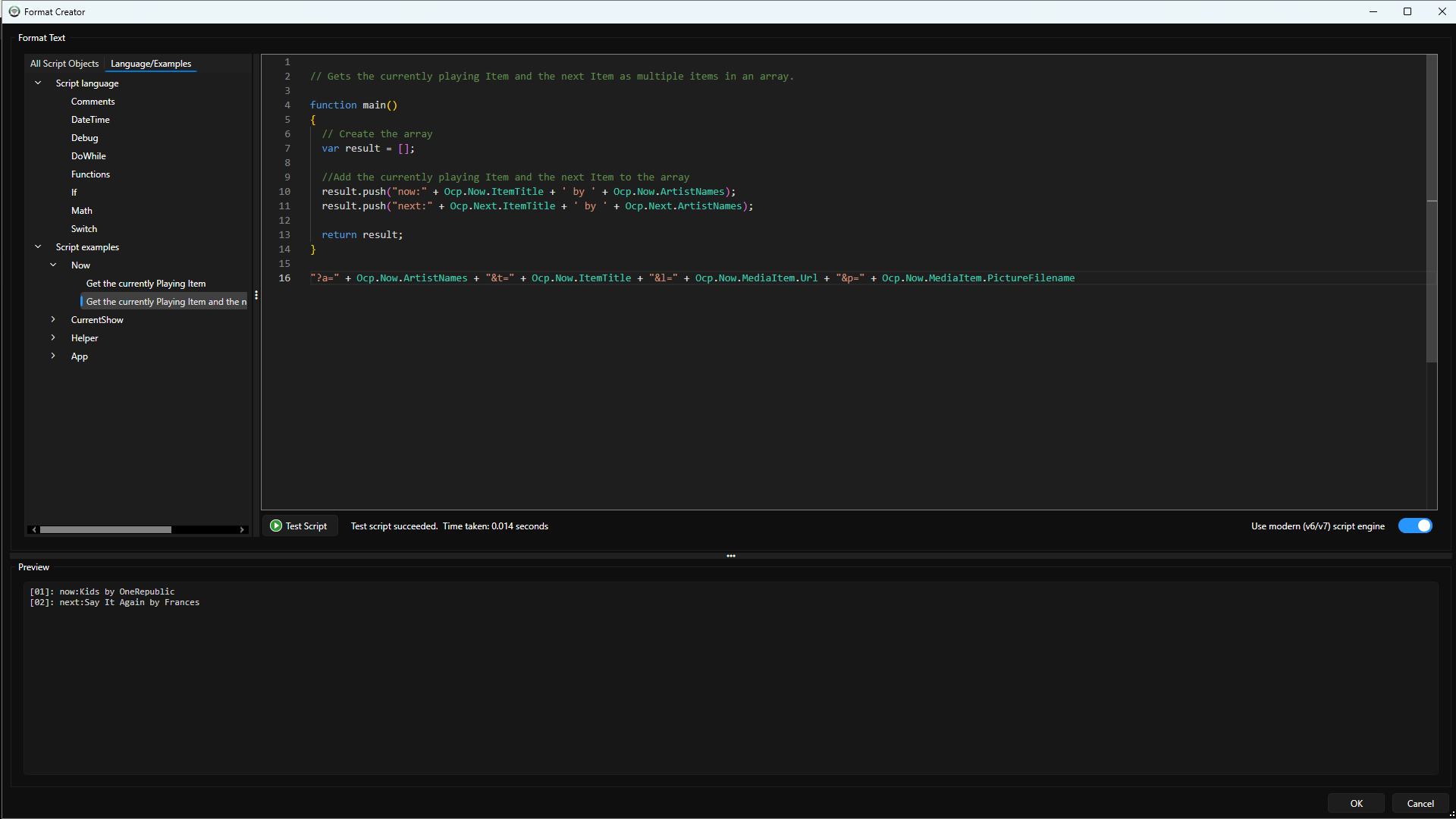
Scripts and integration with 3rd party systems may not be the most exciting new feature in Myriad 7, but boy is it powerful!
OCP now has a full javascript based scripting language to allow you to create context sensitive and conditional metadata outputs to connect Myriad 7 to the outside world.
Simplified UI For AutoImporter & OCP
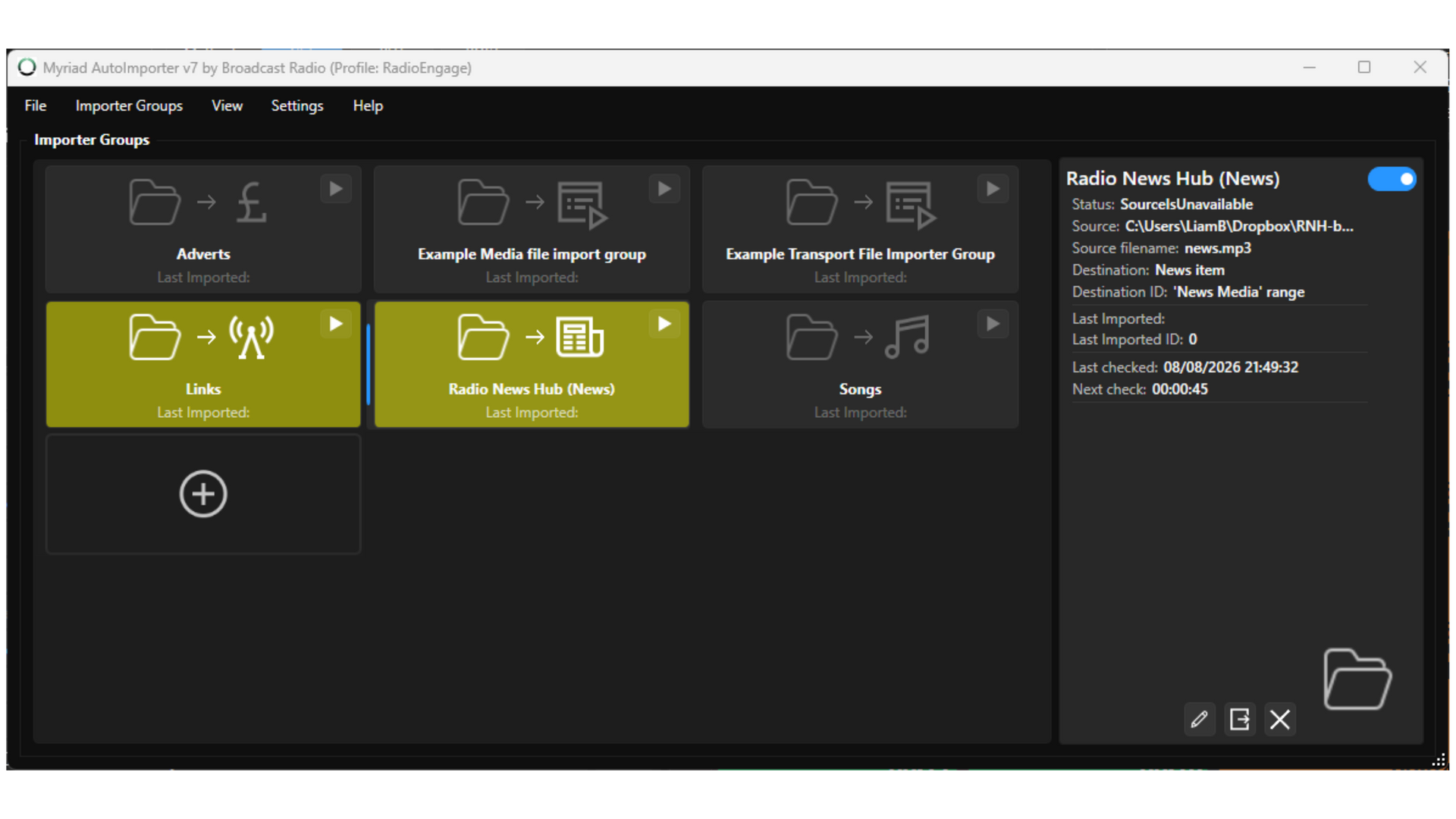
AutoImporter also gets an overhaul in Myriad 7 with a brand new look and simplified workflow for setting up new importer groups.
Both OCP and AutoImporter benefit from a clean, tile based interface to make setting up and managing your automated imports and metadata outputs easier than ever.
Platform & Interface
Modern Windows 11 Style Interface
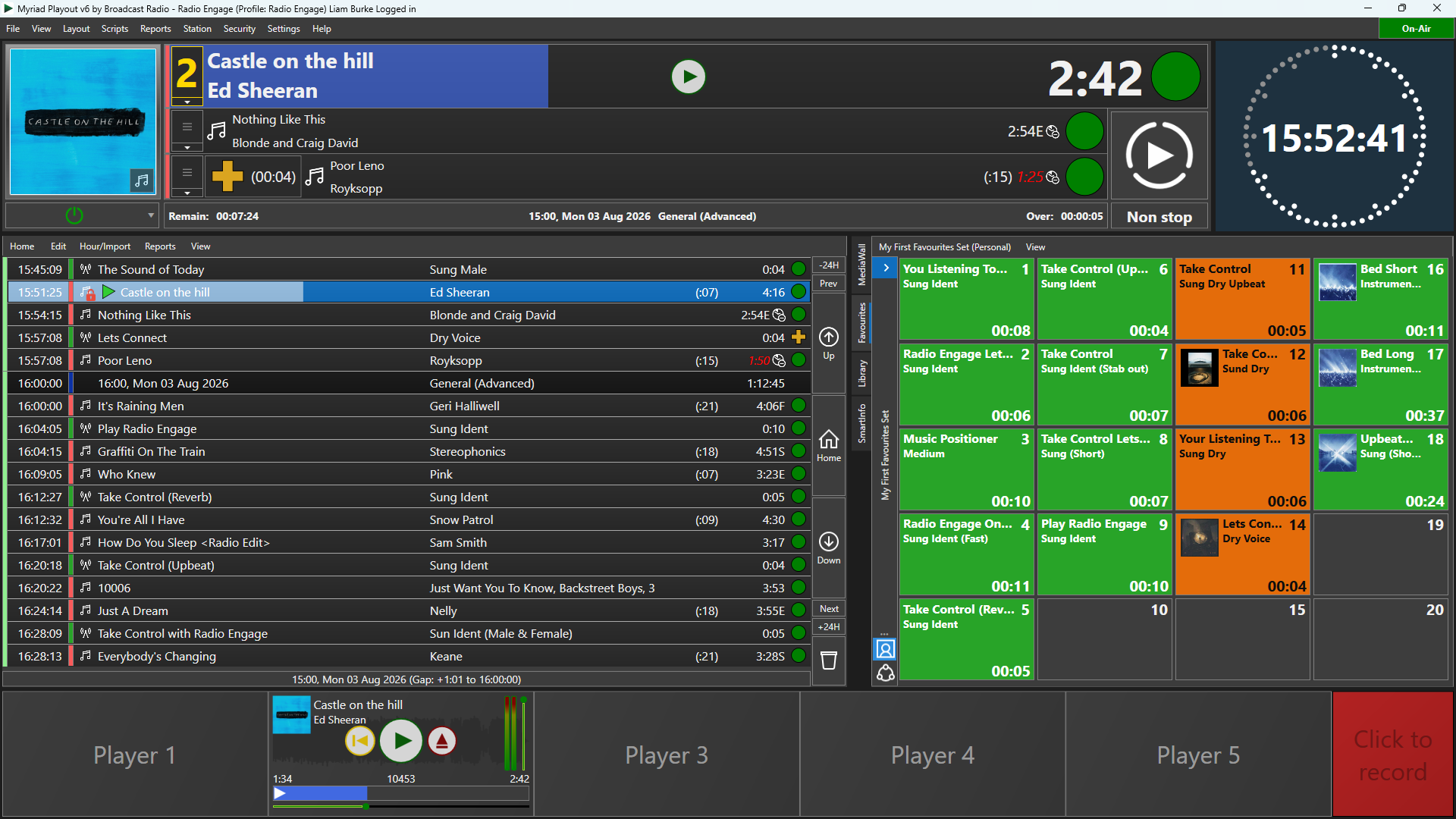
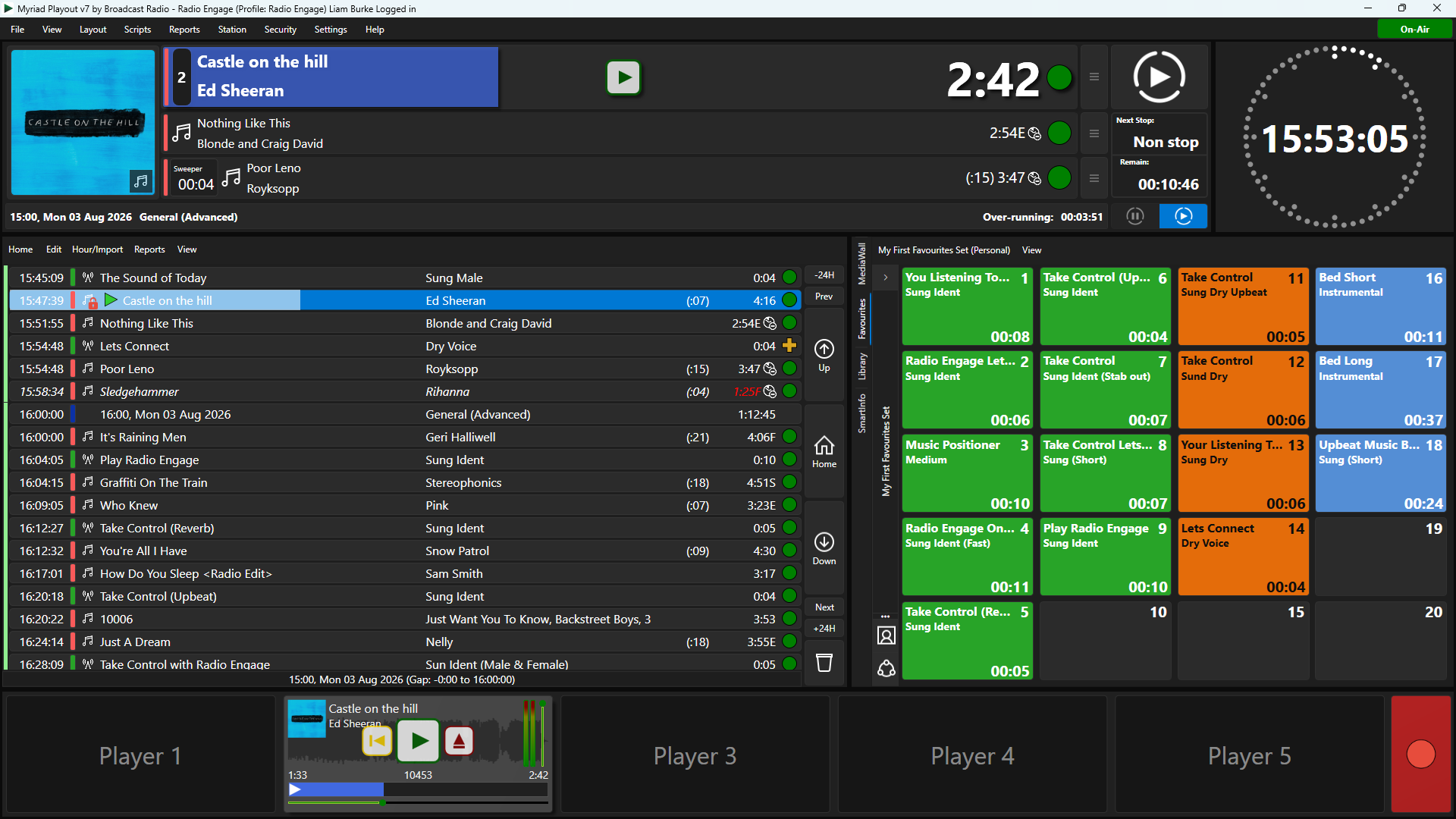
Myriad 7 has a bold new look with cleaner edges, deep contrasts, new icons and a new option for 'mini ribbons' to help maximise screen space for the things that matter.
Multi-Language Support

Multi-language support is now baked in at a system level in Myriad 7. Initial supported languages include English (US), English (British) and Spanish, with more languages planned for the future.
Plus lots more to come!
Myriad 7 Release Timeline
When will Myriad 7 be available?
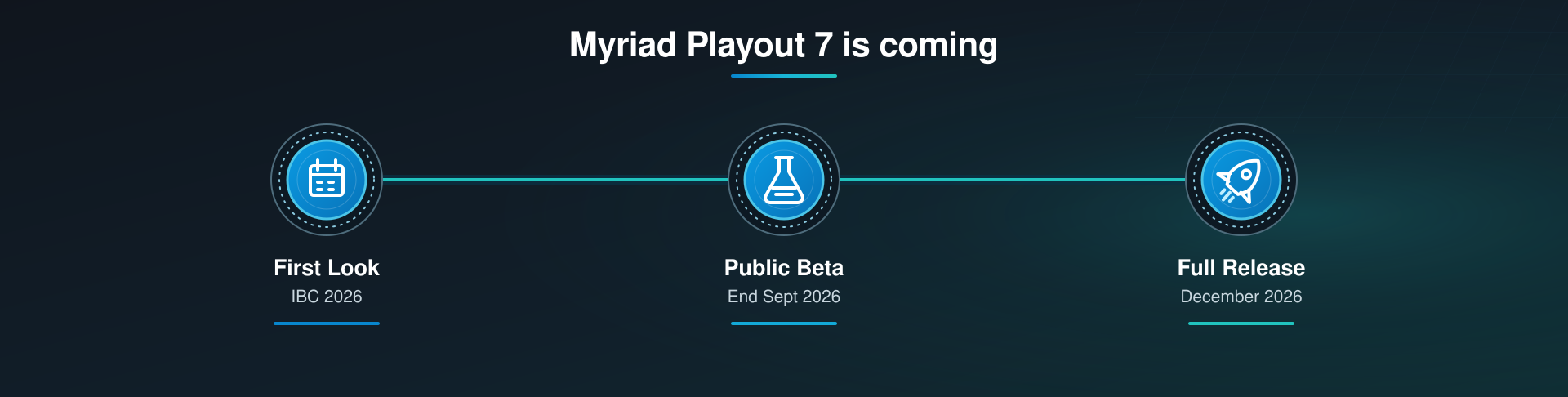
Myriad 7 will be demonstrated for the first time at the IBC show in Amsterdam from the 11th to 14th of September 2026.
Users will be able to download and install public beta from the end of September 2026.
Myriad 7 is scheduled to be on general release from early December 2026.
How much will the upgrade cost?
Myriad 7 will be included as part of all valid Myriad 5/6 subscriptions services.
Customers who outright purchased Myriad Playout 6 after the 1st of August 2025 will receive a complimentary upgrade to Myriad 7.
Customers who outright purchased any previous Myriad release prior to the 1st of August 2025, will be offered a tailored upgrade path. Contact Broadcast Radio for full details.
Is it a difficult upgrade?
Absolutelty not. Myriad 6 customers can simply install Myriad 7 and run it side by side with their current version.
Earlier versions of Myriad Playout require the use of the Myriad Upgrade utility to port your data to the latest versions.
Will I need new hardware?
Not if you are currently running Myriad 6.
Myriad 7 is designed to run on the same minimum specifications and Myriad 6.
If you are running a previous version of Myriad on older hardware, you may need to consider upgrading to a modern Windows 11 based platform.
Can I see a full feature list?
Absolutely, you can see a full list of published features and how it compares with Myriad 6 here>
Product Guide
Want to know more about the Broadcast Radio product range, and how it can benefit your radio station, download the Broadcast Radio Product Guide.
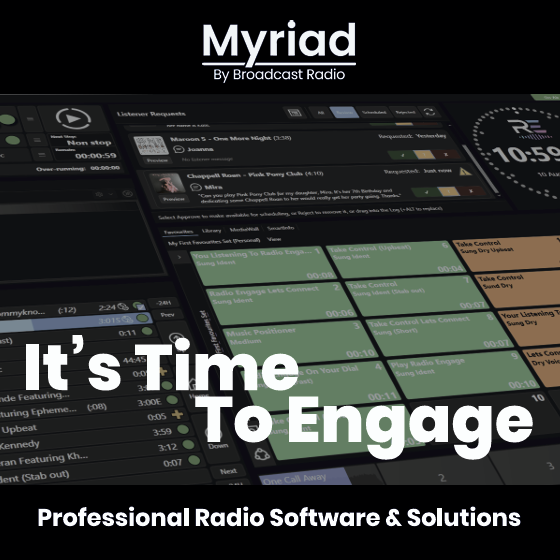
See what Myriad could do for your station
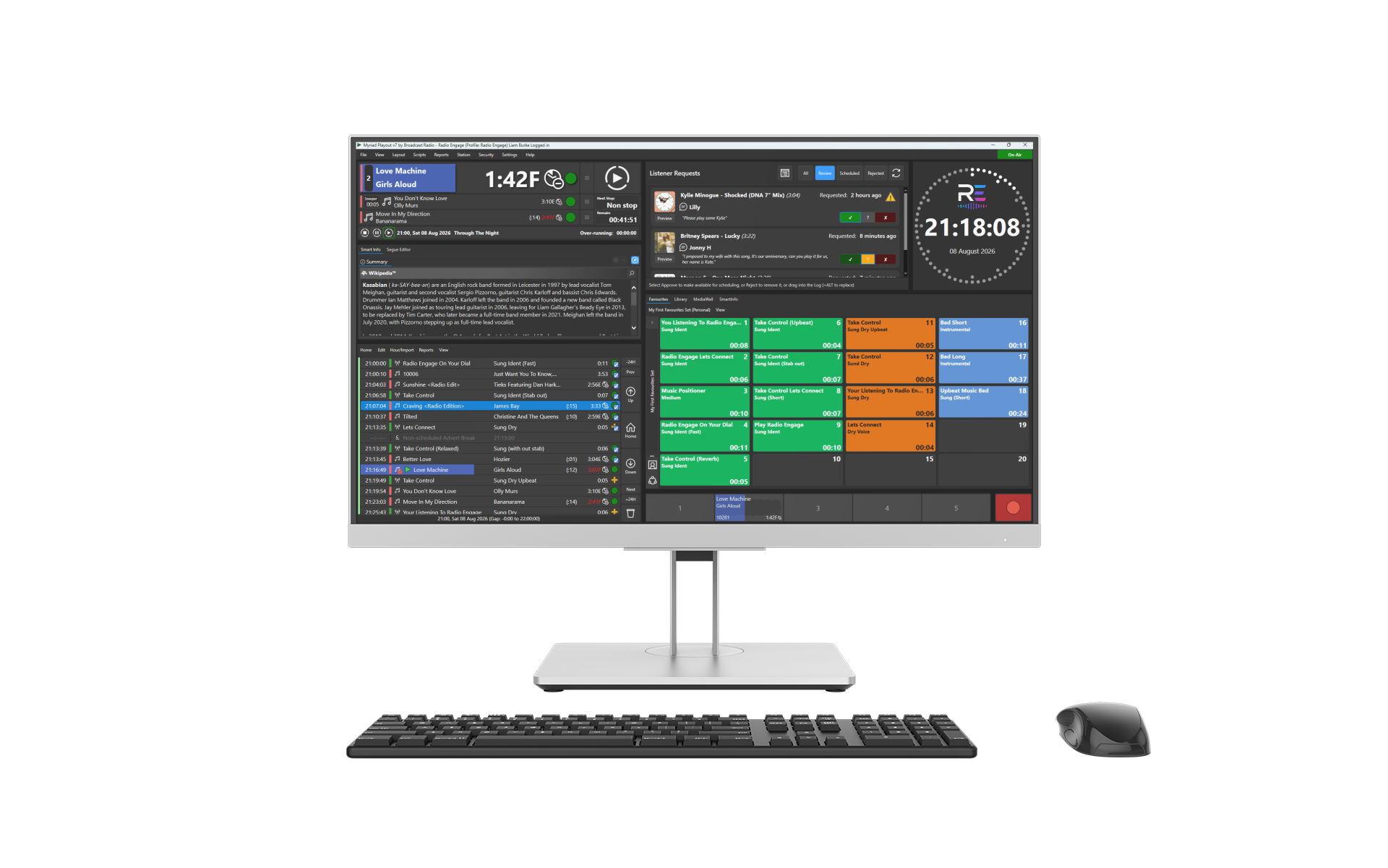
Everything you need for live and automated radio
Myriad Playout is designed for live, live-assisted and fully automated broadcasting.
Presenters can work from a clear, easy-to-follow Log showing what is playing now, what is coming next and how the programme is running against time. Items can be started manually, played in sequence or controlled automatically using rules set by your programming team.
Real-time timing and backtiming information helps presenters make confident decisions, while flexible automation allows the same system to handle live shows, overnight programming, complex scheduled sequences and completely unattended operation.
Live Shows
Myriad 7 is built for live shows, with a strong focus on providing DJ's with all the information, audio tools and listener engagement they need to make great radio.
Whether running from a scheduled Log or free-form selecting content, presenters can quickly find and use the content, assign beds & stabs to hot keys and access Song and Artist information at the touch of a button.
Local and remote DJ's can even co-host live real-time shows from anywhere in the World!
Radio Automation
Automated radio does not need to make compromises with Myriad 7.
Our powerful radio automation engine creates natural sounding radio that runs perfectly to time and can seamlessly interact with external audio sources and syndicated shows.
When it comes to Voice Tracking, you have the option to VT locally, remotely via the Myriad Anywhere web interface or let AI do all the hardwork!
Myriad 7 also introduces multi-station VT for split output radio networks.
Scheduling Built In
Myriad Schedule is built into the DNA of Myriad 7 meaning your clocks, rules, content and automation blend perfectly to provide a single, smooth and powerful platform for planning, managing and running your station.
Built in scheduling does not mean compromised scheduling!
Myriad Schedule has been used by professional radio stations around the world for more than 25 years.
Its comprehensive clock/rule based structure offers world leading scheduling.