
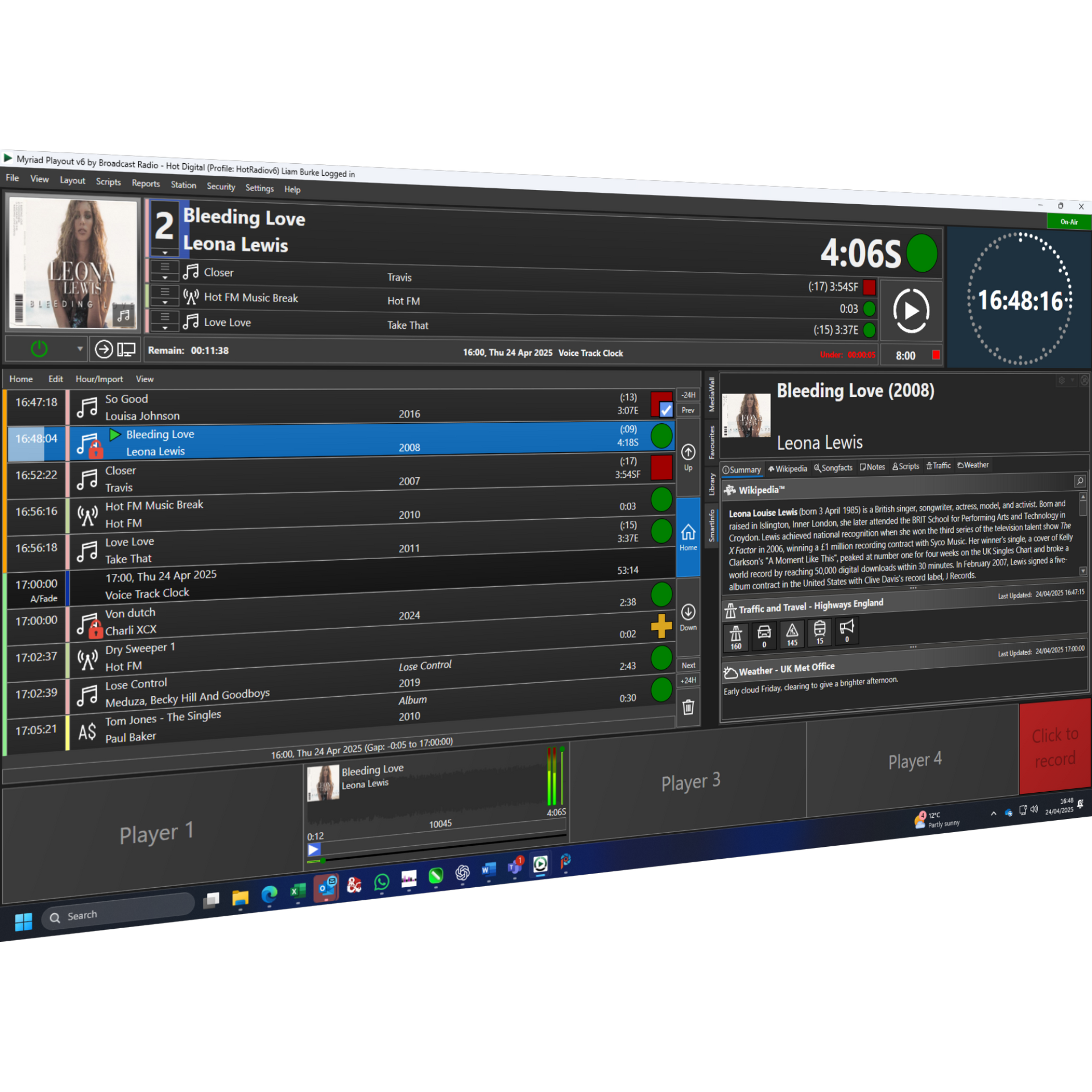
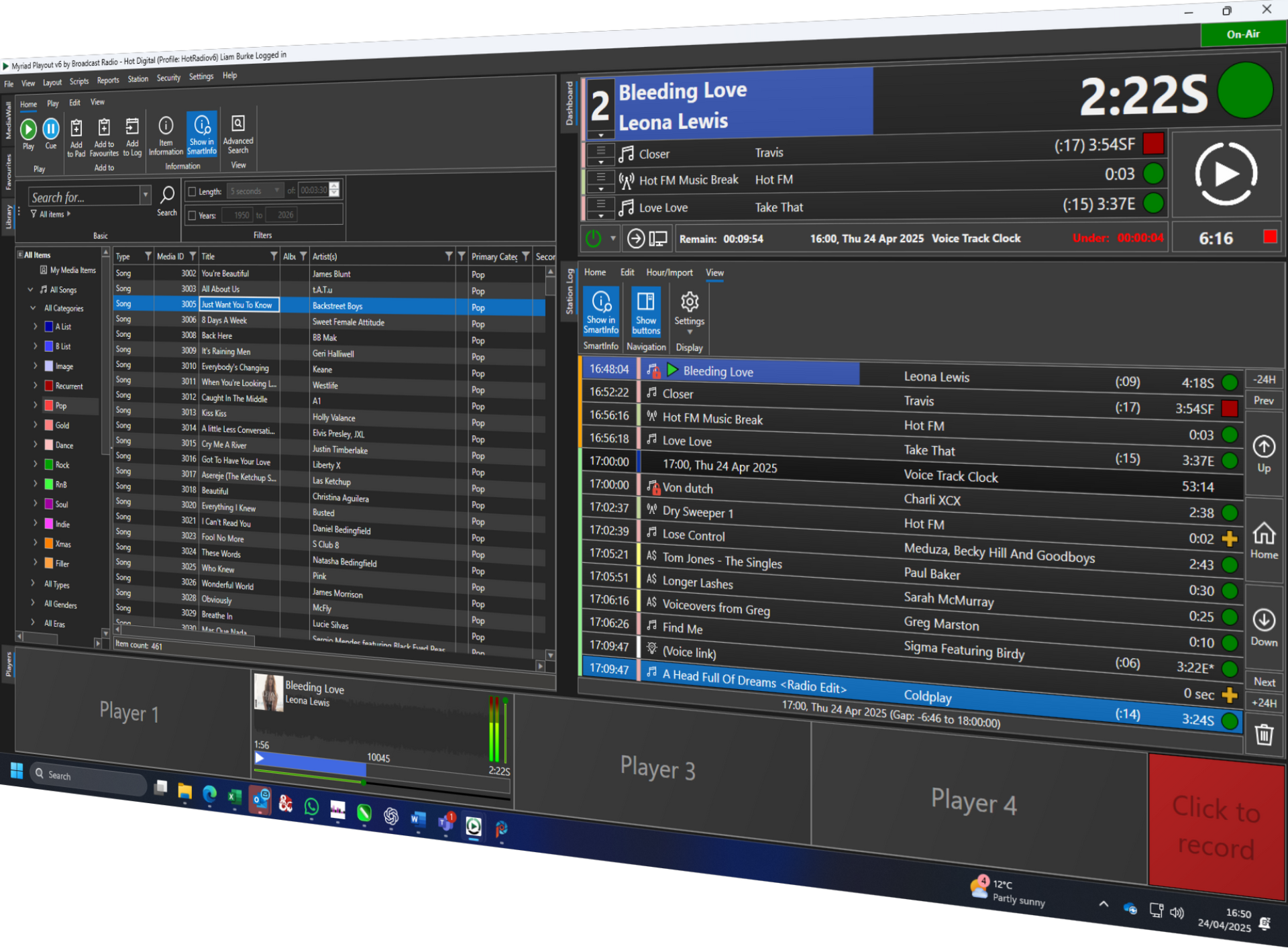
Myriad Radio Automation: Built for Great Radio
From the very first line of code, Myriad 6 was designed with a singular purpose — to help you create outstanding radio.
Whether you’re running a local community station or managing a global broadcasting network, Myriad 6 Playout delivers a powerful, connected experience that empowers your presenters and supports your unique broadcasting style.
Backed by over
25 years of innovation in professional radio software, Myriad 6 brings together trusted radio practices with a modern, intuitive interface. The result is a complete set of tools and workflows tailored for producing dynamic, engaging, and contemporary radio content.
Myriad Radio Automation is simply built to help you make great radio. Just take a look at what it could do for you.
Key Features
- Advanced playout for manual, live assisted & automated shows.
- Customise look and design to suit your station.
- Powerful scheduling, not just integrated but built in.
- Local & remote Voice Tracking & AI Voice Links.
- SmartInfo to you sound like a music genius!
- Advanced remote contribution for live shows and events.
- Reports, mass changing and asset management built in.
- Sophisticated 'run to time' options for time critical events.
- Multi-station asset management and playout options.
Enhanced with Myriad Anywhere
The Myriad Anywhere add-on enhances Myriad Playout with:
- Browser based Log Editing & Voice Tracking.
- Full remote shows from up to five simultaneous locations.
- Remote management of assets and scheduling.
- Run every aspect of your station from Anywhere.
Arrange a free online demo to learn more.
Start your radio station today with a free demo and evaluation license.
Need to know more?
Take a closer look at what Myriad can offer.
Advanced Playout & Automation
Advanced Playout & Automation for manual shows, live assisted shows and fully automated broadcasting.
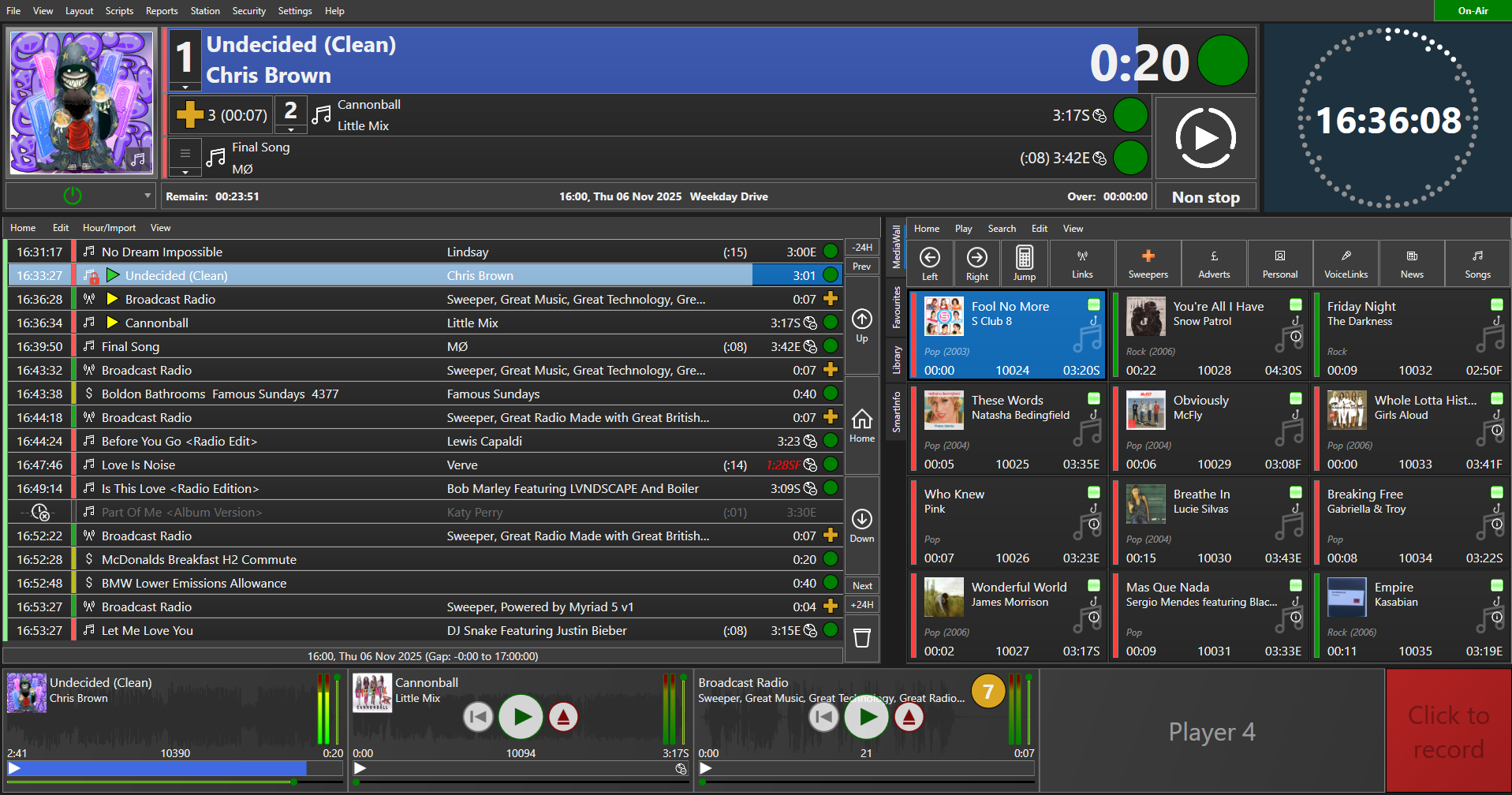
The Log provides access to your station schedule for Live and Automated shows. Think of the Log as a giant playlist that can be manually built, or automatically built using Myriad Schedule or a 3rd party scheduling system.
Once built, you can use the Log to deliver Live programs (when you are in control of the show) or fully automated playout (for when the station is unattended).
If you have adequate permissions, you can alter the Log, add content, edit the segues and add 'Voice Links' to automated programming. The Log can automatically 'backtime' automated shows for time critical events (such as news), dynamically build music based promos (called AutoHooks) and even automatically post updates to your Facebook pages.
When you are presenting live shows, the Log helps with show planning and execution by providing constantly evolving timing information as well as allowing automated sequences for those all important coffee breaks!
SmartInfo
SmartInfo offers contextual artists & title information combined with key local updates about traffic and weather.
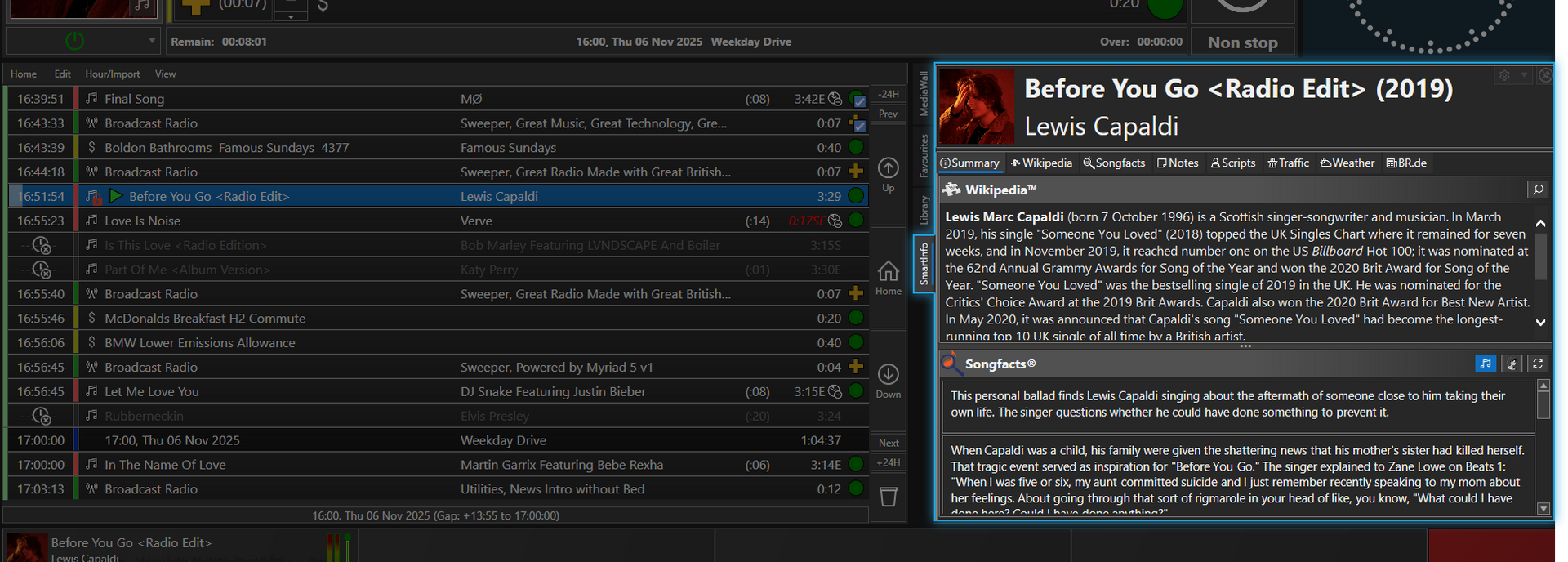
The SmartInfo Panel dynamically gathers and displays 'live' relevant information from various online sources relating to the active Artists and Songs in Myriad. So as you are playing the latest song by Billie Eilish, SmartInfo will be displaying information about the artists, her discography, album art, year of release and more.
The SmartInfo Panel will display the following information for Artists and Songs.
- Album Art
- Year of Release
- Official Wikipedia Page
- Songfacts information (requires additional subscription)
- Studio Note (time contextual notes you have added to the system)
- Weather In Your Area
- Local traffic information
As well as dynamically displaying 'live' information from the web, Smart Info will also automatically populate certain information on Songs including Album Art and Year of Release.
Voice Tracking
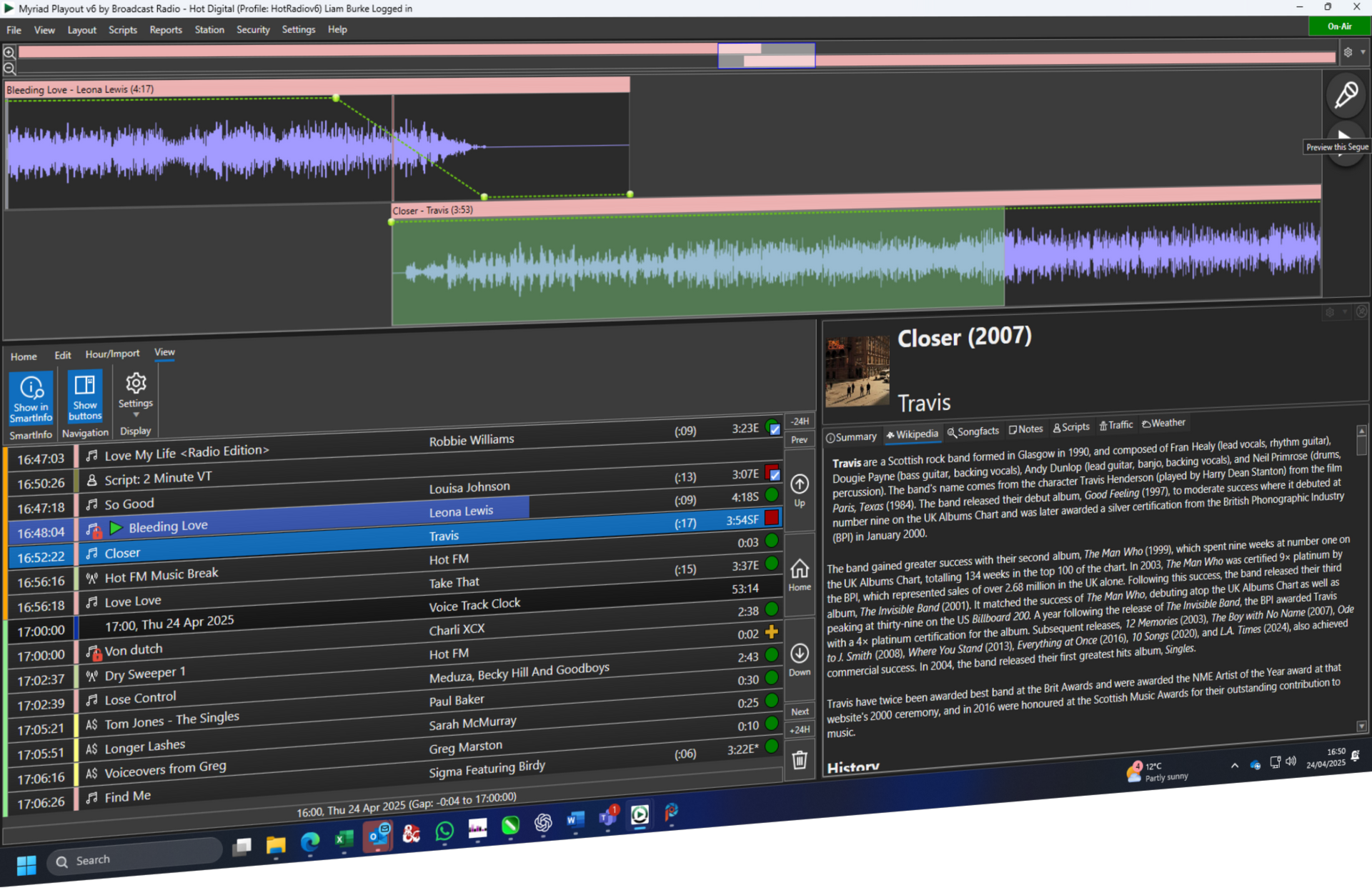
Local and remote Voice Tracking & Segue Editor for perfect junctions every time in both live and automated shows.
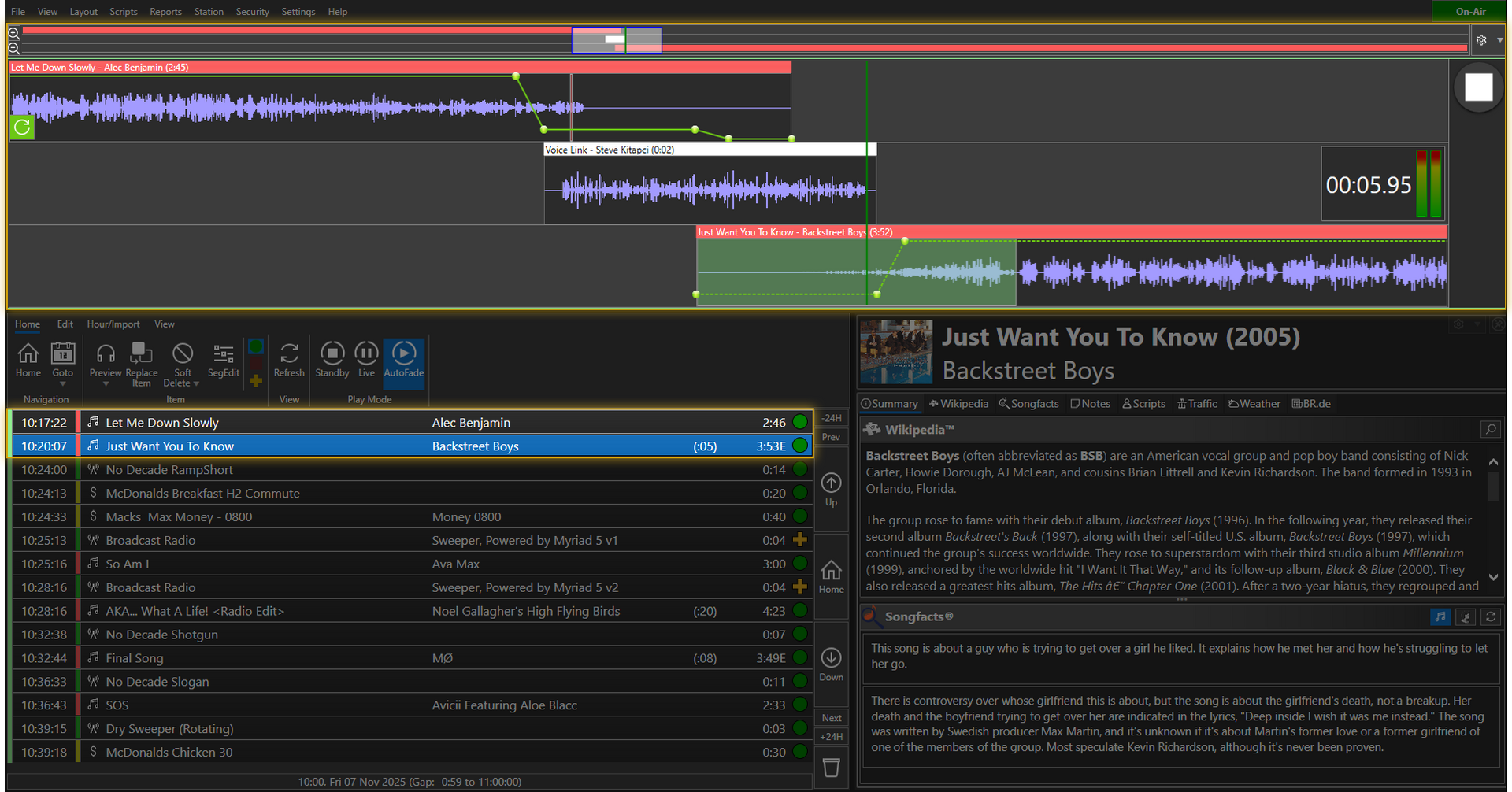
Create exciting, dynamic sounding radio shows in minutes using our advanced Voice Tracking tools. Whether you are in the studio or relaxing at home, our Voice Tracking tools put you in control over every aspect of Voice Tracking. Record 'real time' voice tracks, adjust volume points and re-position elements all from a simple, intuitive interface.
Your presenters can add Voice Tracks using your studio or remotely using the optional Myriad Anywhere system.
- Intuitive Voice Tracking for live or automated shows.
- High quality voice links that are automatically normalised.
- Adjust timing, track position and volume envelope on all elements of your Voice Track.
- Edit segues to customise your shows.
Scheduling
Powerful music, jingle and advert scheduling with Myriad Schedule & Schedule Pro.
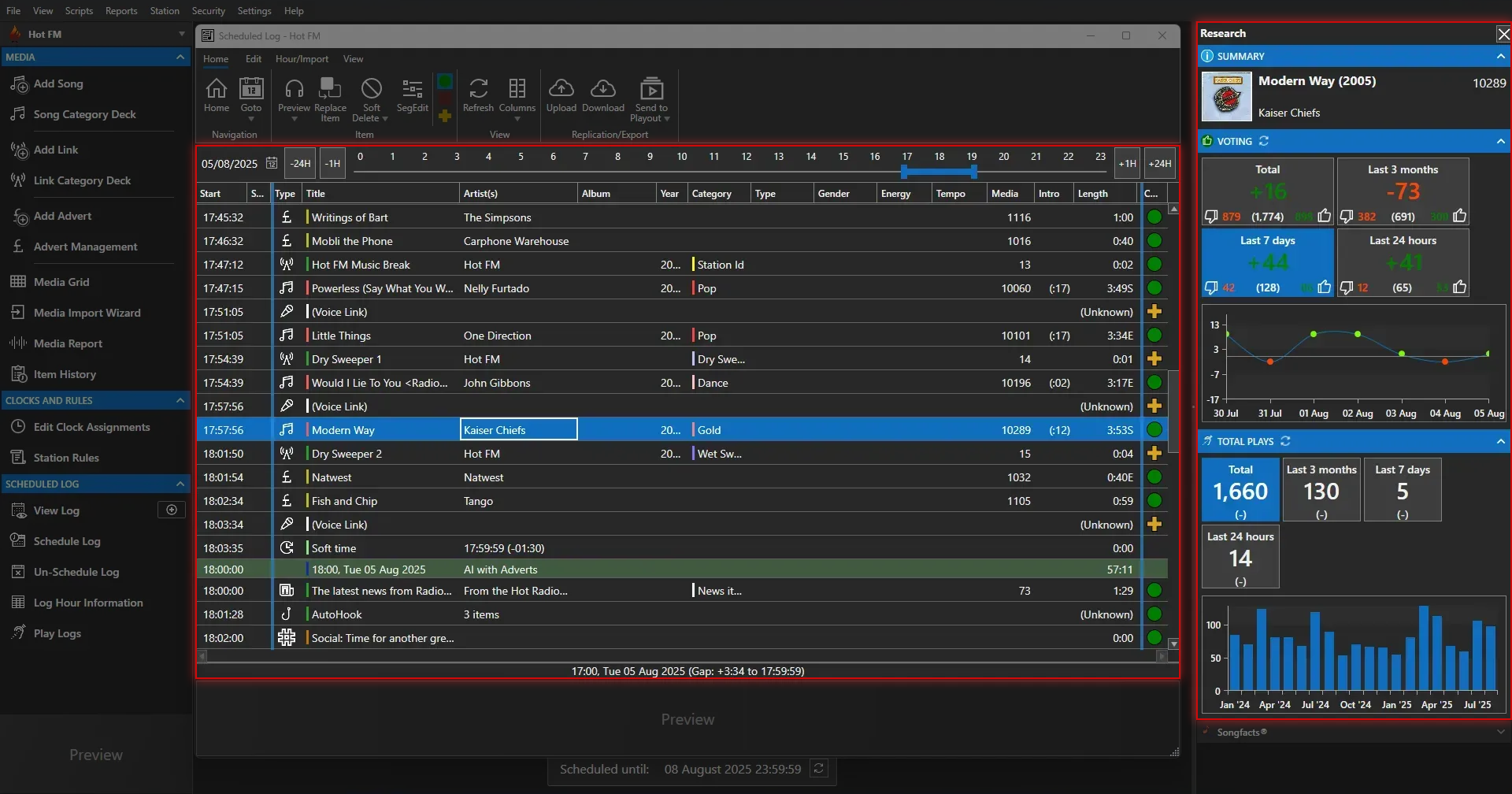
Myriad 6 Schedule is a powerful yet simple to use music, advert and link (jingle) scheduling system built directly into the core DNA of Myriad 6 Playout. Drawing on more than 25 years experience developing professional radio scheduling systems, we have designed Myriad 6 Schedule to be accessible enough for first time users to be able to schedule their station in minutes, yet offer the tools and flexibility needed for radio stations to sculpt their schedule to sound exactly how they want.
Not Just Integrated, Built In
Myriad Schedule is built directly into Myriad Playout meaning that both playout and scheduling are working from a single, unified database of content. When you add or edit Media Items on the MediaWall, you are also adding them or editing them in Myriad Schedule. No more replicating data or importing content - just add a Song, Advert or Link and it is ready to be scheduled!
You can also use our dedicated Myriad Schedule application or even access via the optional Myriad Anywhere Schedule add-on.
Myriad Schedule Pro
Enhance your scheduling options with Myriad Schedule Pro with more ways to classify content, more rules and more options to fine tune your station sound.
Streams & Remote Shows
Stream DJ sets, sports commentary and live events directly to Myriad, or have live, multi-presenter interactive shows with Myriad Anywhere Pro.
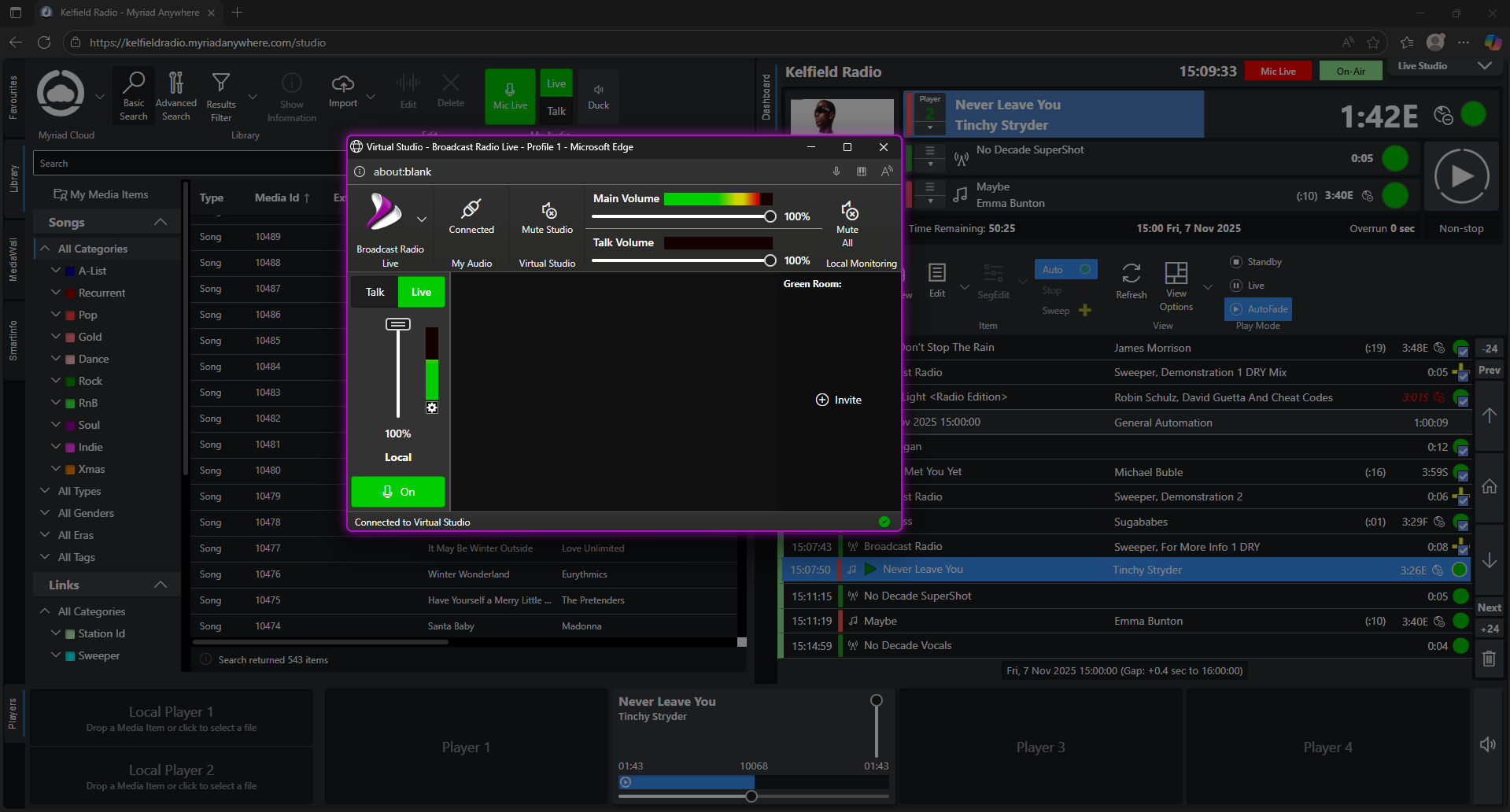
Myriad 6 Playout can stream external live streams or static files just like any other Media Item on the system. This means you can add live streams to your schedule, manually trigger them or even add them to 'Favourites' for instant access.
Streaming Media Items are great for:
- Outside broadcasts
- Sports commentary
- Syndicated shows
- Podcasts etc...
Presenters can even have their remote streaming URL associated with their User account to make managing live stream contribution a piece of cake!
Add Myriad Anywhere Pro
Enhance your remote options further with Myriad Anywhere Pro. Myriad Anywhere Pro allows you to have live, fully interactive shows with up to five presenters, hosting remotely from different locations in real-time.
AI Voice Links
Enhance live and automated shows with context sensitive, goal driven AI Voice Links featuring infinite variation.*
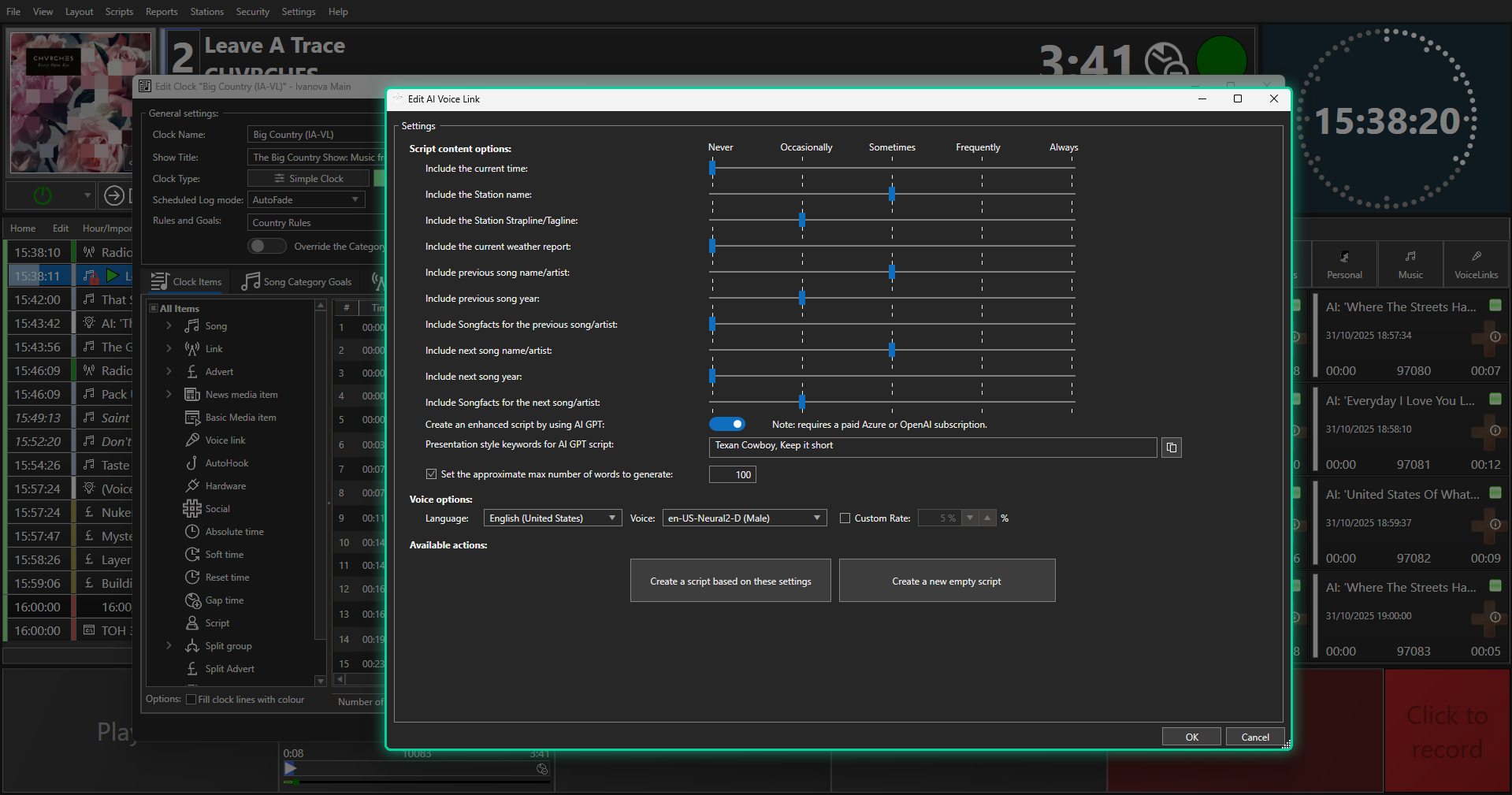
Effortlessly generate dynamic content based on predefined 'goals' for each link, seamlessly incorporating 'live' elements like song and artist information, news, weather, and more.
Myriad can generate scripts based on goals or partially written scripts, incorporating elements from the 'Log' (recent Songs etc) as well as 'live' information such as news and weather.
Scripts can optionally be refined by 3rd party* 'large language' model services (like OpenAI) and rendered internally or using 3rd* party systems such as ElevenLabs.
Winner of the NAB Show Product of the Year awards 2024!
Potential Uses include:
- Automated time checks
- 'Alternate' voice for News & Weather
- Enhancing automated shows with context relevant 'live voice'
* Whilst AI Voice Links are included with Myriad Playout 6 as standard, you will need 3rd party subscriptions for OpenAI and your chosen AI Voice provider.
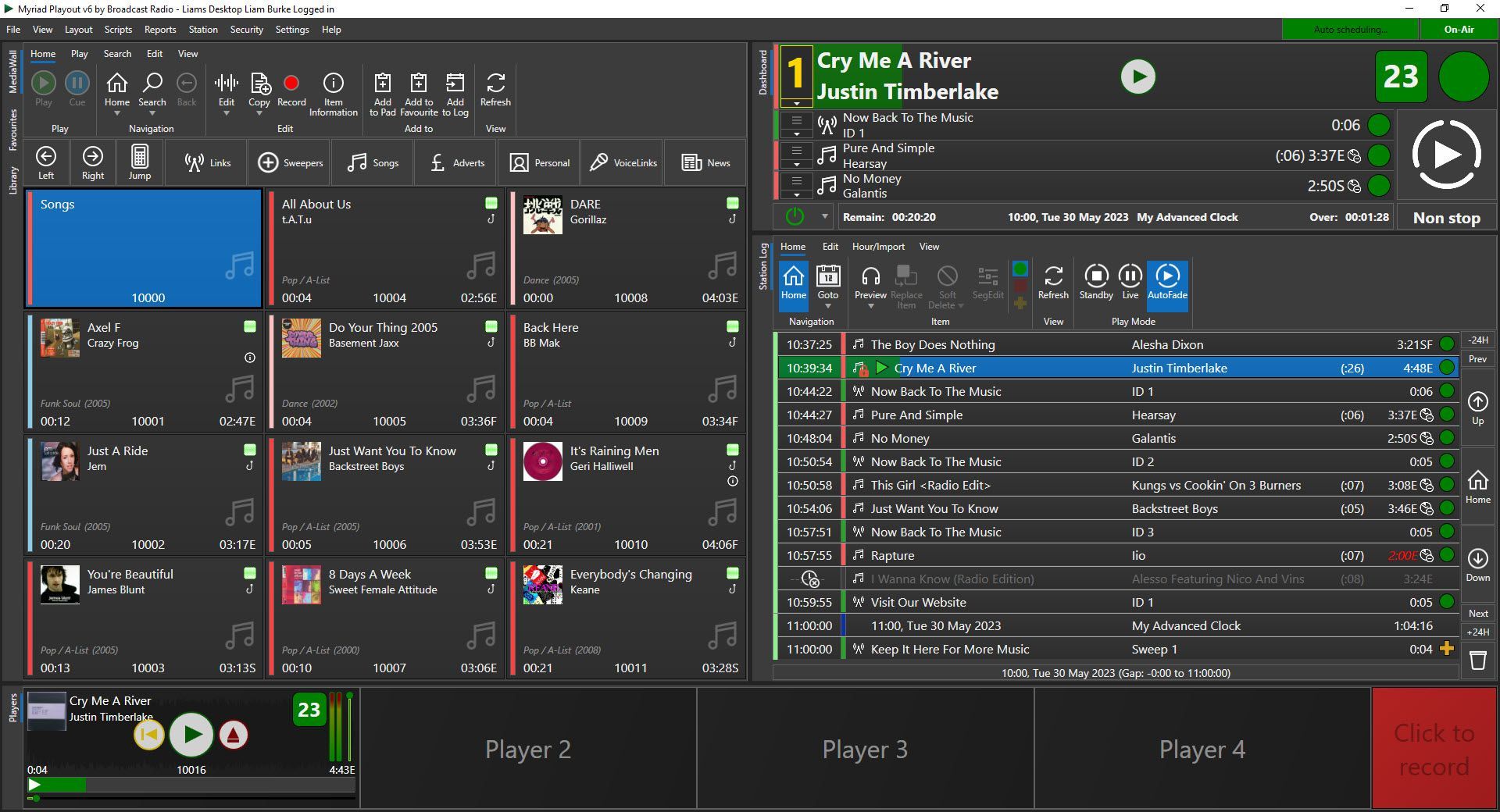
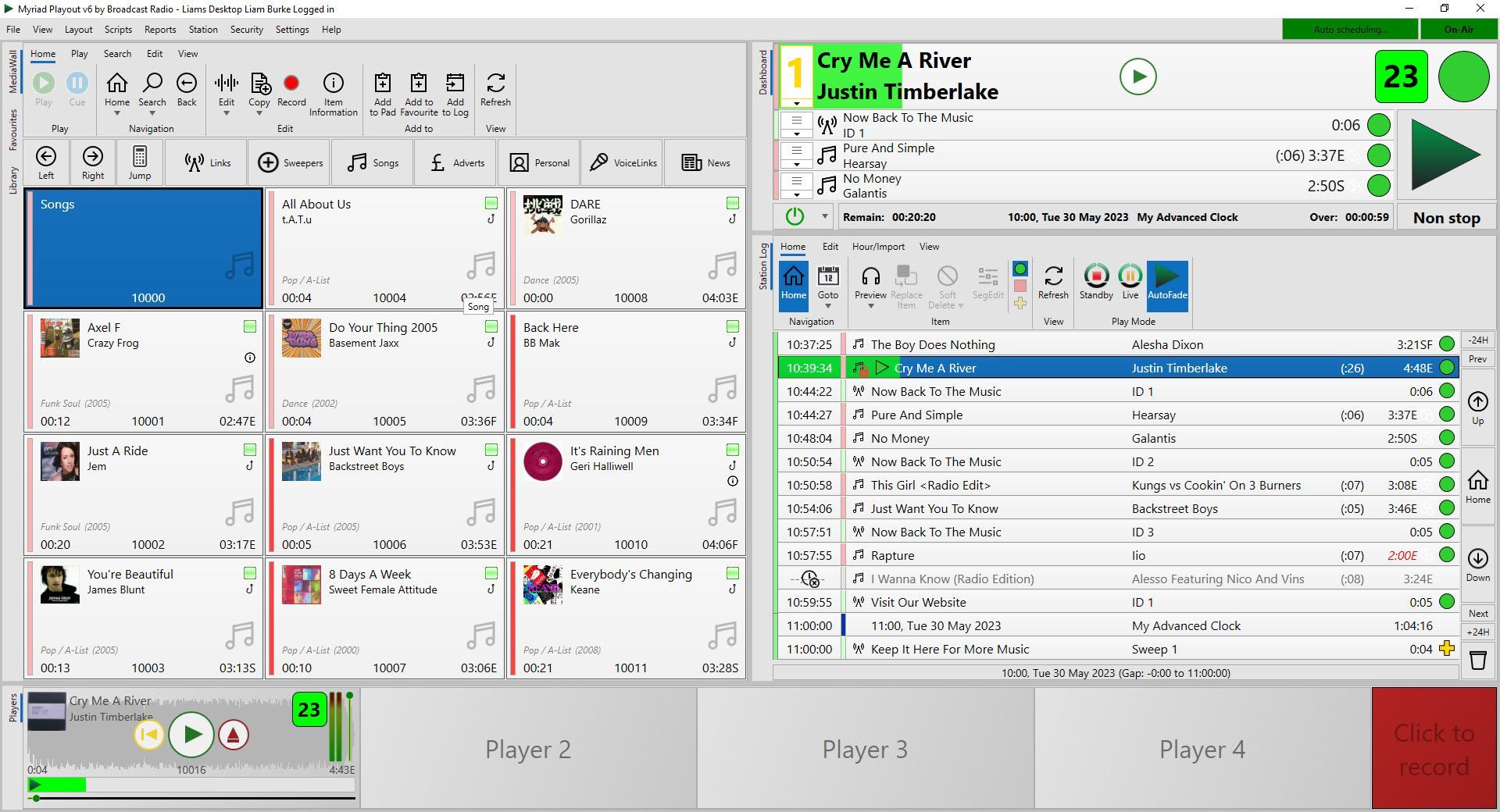
Choose Your Side.
Light or Dark
Hardware Integration With





Try Myriad 6 for yourself.
Free
Trial
Dowload
Fully Featured
Get access to all the tools and features Myriad 6 Playout has to offer for the duration of your trial.
4 Days Unlimited
Access everything with no feature or time restrictions for the first four days of your evaluation.
20 Day Evaluation
After your initial unlimited four days, continue with up to 20 days of time limited evaluation.
Request An Online Demo
If you have any questions about Myriad 6, would like a free quote or to arrange an online demo, just send us a message.
Contact Us
We will get back to you as soon as possible.
Please try again later.